 Alan Carr
Many people confuse web design vs web development, often using the terms interchangeably. They overlap constantly, but they are not the same skill set.
Web design deals with how a website looks and guides people towards an enquiry or sale. Web development is the work that makes the site run properly, load quickly and stay reliable. If you are planning a new website, redesigning an existing one or trying to fix a site that is not converting, understanding the difference can help you choose the right support and avoid wasting budget.
Your Quick Guide to Web Design vs. Web Development
Not sure whether you need a designer, a developer, or both? Here’s the simple breakdown.
- Web design shapes the experience – It covers layout, branding, usability, content structure, visual style and the way people move through your site.
- Web development makes the website work – It covers code, functionality, CMS setup, speed, security, integrations and the technical structure behind the site.
- Most business websites need both – A good-looking site needs clean development underneath, and a well-built one still needs clear design, content and user journeys.
- You need design if the site feels dated, confusing or off-brand – This is usually where UX, layout, messaging, visual direction and conversion paths need attention.
- You need development if the site is slow, hard to edit, broken or missing functionality – This is where custom code, CMS improvements, performance work and integrations become important.
What Is Web Design?
Professional web design is about shaping the visual experience of a website. It covers layout, branding, content hierarchy, usability and the overall journey a visitor takes from landing on the site to making an enquiry, booking or purchase.
A web designer’s job goes beyond making a site look attractive. Good web design helps users understand what you offer, trust your business and take the next step without second-guessing it.
Key Aspects of Web Design
- Layout and structure – Decides how text, images, buttons, forms and calls to action are arranged on the page.
- Colour scheme and typography – Creates a consistent visual identity and makes the content easy to read.
- User experience design – Improves navigation, clarity and the way people move through the site.
- User interface design – Shapes buttons, forms, menus, cards, animations and interactive elements.
- Mobile responsiveness – Ensures the design works properly across desktop, tablet and mobile devices.
- Accessibility – Ensures inclusivity for users with disabilities and helps the site work for a wider audience.
- Wireframing and prototyping – Provides a clear design plan before development starts.
Tools Used by Web Designers
- Figma, Adobe XD and Sketch – Used for wireframes, prototypes and interface design.
- Photoshop and Illustrator – Used for image editing, graphics and visual assets.
- HTML and CSS – Useful for understanding how designs translate into front-end layouts.
- Canva and Webflow – Useful in some contexts, although they are not usually a replacement for bespoke design and development on larger business websites.
What Is Web Development?
Web development turns a design into a working website. Developers build the structure, templates, features, CMS, performance setup and functionality that allow visitors and site owners to use the website properly.
Design decides what the experience should be; development is what makes that experience work in a browser. A strong build should load quickly, work across devices, be easy to manage and avoid unnecessary technical limitations.
Key Aspects of Web Development
- Front-end development – Builds the parts of the website that users see and interact with.
- Back-end development – Handles databases, server-side logic, CMS functionality and more complex features.
- Full-stack development – Combines both front-end and back-end skills.
- Content management systems – Platforms like WordPress make it easier for teams to edit and manage content.
- Page speed optimisation – Improves loading speed, performance and Core Web Vitals.
- Security and compliance – Helps protect user data, forms, accounts and website infrastructure.
- API integrations – Connects the website with CRMs, booking tools, payment systems, fulfilment platforms and other software.
Tools Used by Web Developers
- HTML, CSS and JavaScript – The core technologies used to build front-end website interfaces.
- React, Angular and Vue.js – JavaScript frameworks often used for more interactive front-end builds.
- PHP, Python and Node.js – Used for back-end functionality and application logic.
- MySQL and MongoDB – Used for database management.
- GitHub and Bitbucket – Used for version control and managing code safely.
- Docker and Kubernetes – Used for deployment, infrastructure and more advanced development workflows.
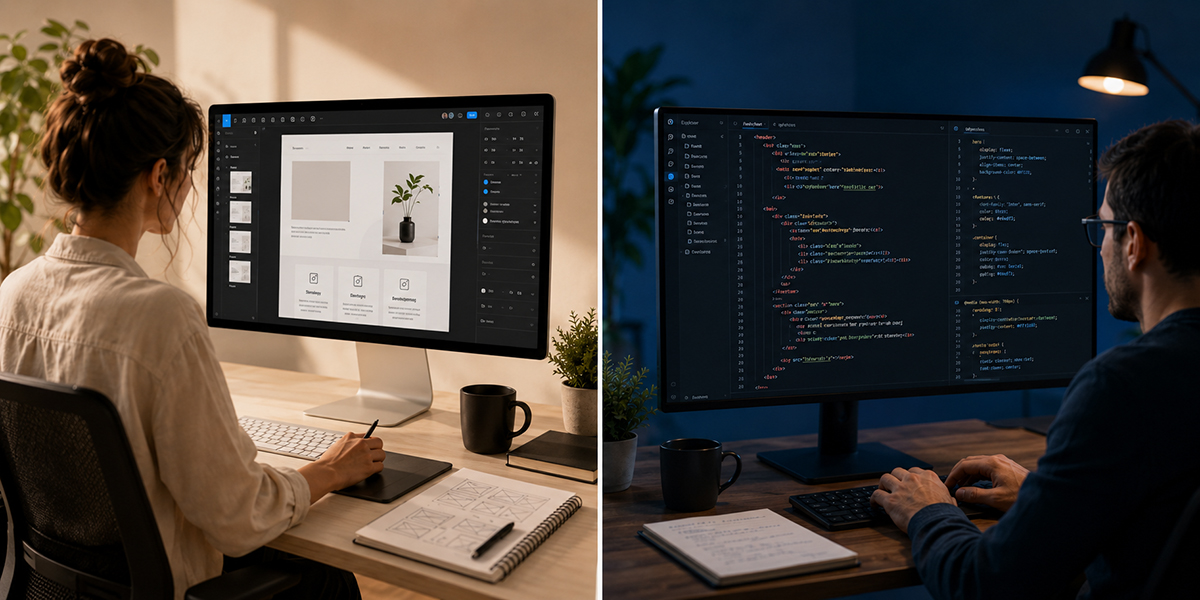
Web design shapes the user experience, while web development builds the structure and functionality behind it.
Where Web Design and Web Development Overlap
Although web design and web development are different disciplines, they work best when they are planned together. A design that looks good in Figma still needs to be practical to build, fast to load and easy for the client to manage. A technically strong build, in turn, still falls flat without clear content, strong visual hierarchy and a sensible user journey.
Common Overlapping Tasks
- Responsive design implementation – Making sure the site works properly across different devices and screen sizes.
- UI and UX decisions – Turning static design ideas into usable buttons, menus, forms and interactive sections.
- Website optimisation – Improving speed, layout stability, image handling and front-end performance.
- Accessibility – Making sure the site is easier to use for people with different needs and assistive technologies.
- SEO foundations – Ensuring the design and code support crawlability, content structure, headings and page speed.
- Interactivity and animation – Adding movement or effects in a way that supports the user journey rather than slowing the site down.
Comparison Table: Web Design vs. Web Development
| Aspect | Web Design | Web Development |
|---|---|---|
| Primary focus | How the website looks, feels and guides users | How the website works, performs and functions |
| Main goal | Create a clear, usable and persuasive experience | Build a reliable, fast and functional website |
| Key responsibilities | Layouts, branding, typography, UI, UX, wireframes and visual direction | Front-end code, back-end logic, CMS setup, databases, integrations and testing |
| Tools used | Adobe XD, Figma, Photoshop and Sketch | HTML, CSS, JavaScript, PHP, Python, React, Node.js and database tools |
| Common tasks | Wireframing, prototyping, visual design, responsive layouts and conversion-focused page planning | Building templates, creating functionality, debugging issues, integrating APIs and improving performance |
| Requires coding? | A basic understanding of HTML and CSS is helpful, but deeper coding is usually handled by developers | Yes. Web development requires coding and technical problem-solving |
| Best suited to | Redesigns, new brand-led websites, UX improvements and pages that need better clarity or conversion | Custom functionality, WordPress builds, ecommerce, performance work, integrations and technical fixes |
| Risk if ignored | The site may look dated, feel confusing or fail to persuade visitors | The site may be slow, hard to edit, unreliable, insecure or limited by poor code |
| Maintenance involvement | Usually involved when layouts, content structure or user journeys need improving | Often involved in updates, bug fixes, security work, CMS changes and new functionality |
| Client conversations | Brand, audience, content, usability, design preferences and conversion goals | Functionality, CMS editing, integrations, performance, security and technical requirements |
Choosing Between a Web Designer and a Developer
If you are planning a website project, the right choice depends on the problem you are trying to solve. Some are a design problem, some are technical, and plenty are page-builder lock-in mistaken for one of those.
You Need a Web Designer If:
- Your website looks dated or no longer reflects your business.
- Your pages feel cluttered, confusing or difficult to navigate.
- You need a stronger brand identity across the site.
- You want to improve user experience and make the site easier to use.
- Your calls to action, page layouts or content structure are not helping visitors take the next step.
- You need wireframes, prototypes or a clearer visual direction before development starts.
You Need a Web Developer If:
- Your website is slow, buggy, broken or difficult to maintain.
- You need custom functionality, such as forms, filters, dashboards, booking tools or ecommerce features.
- You need a better CMS setup so your team can manage content more easily.
- You need API integrations with third-party tools or internal systems.
- You need back-end customisation, database work or advanced WordPress development.
- Your current website is restricted by templates, plugins or page builder limitations.
You Probably Need Both If:
- You are building a new business website from scratch.
- You are redesigning an existing website and changing how it works.
- You need a bespoke WordPress site rather than a generic template.
- You want better design, faster performance and easier editing in one project.
- You are moving from an old CMS, page builder or outdated theme.
- You want the site to support enquiries, bookings, sales or long-term growth.
How This Works in Real Website Projects
After more than 18 years building websites, we have seen how often weak results come from separating design decisions from development reality.
In real client projects, web design and web development rarely happen in isolation. A redesign might start with UX planning, wireframes and visual design, then move into bespoke WordPress development, flexible content fields, responsive front-end build, performance checks, accessibility improvements and launch support.
At Webpop Design, this matters because design choices shape what is realistic to build, and the build shapes what clients can edit and maintain after launch. A good-looking layout is only useful if a client can edit and reorder its sections safely through ACF fields, not break the whole page in one click.
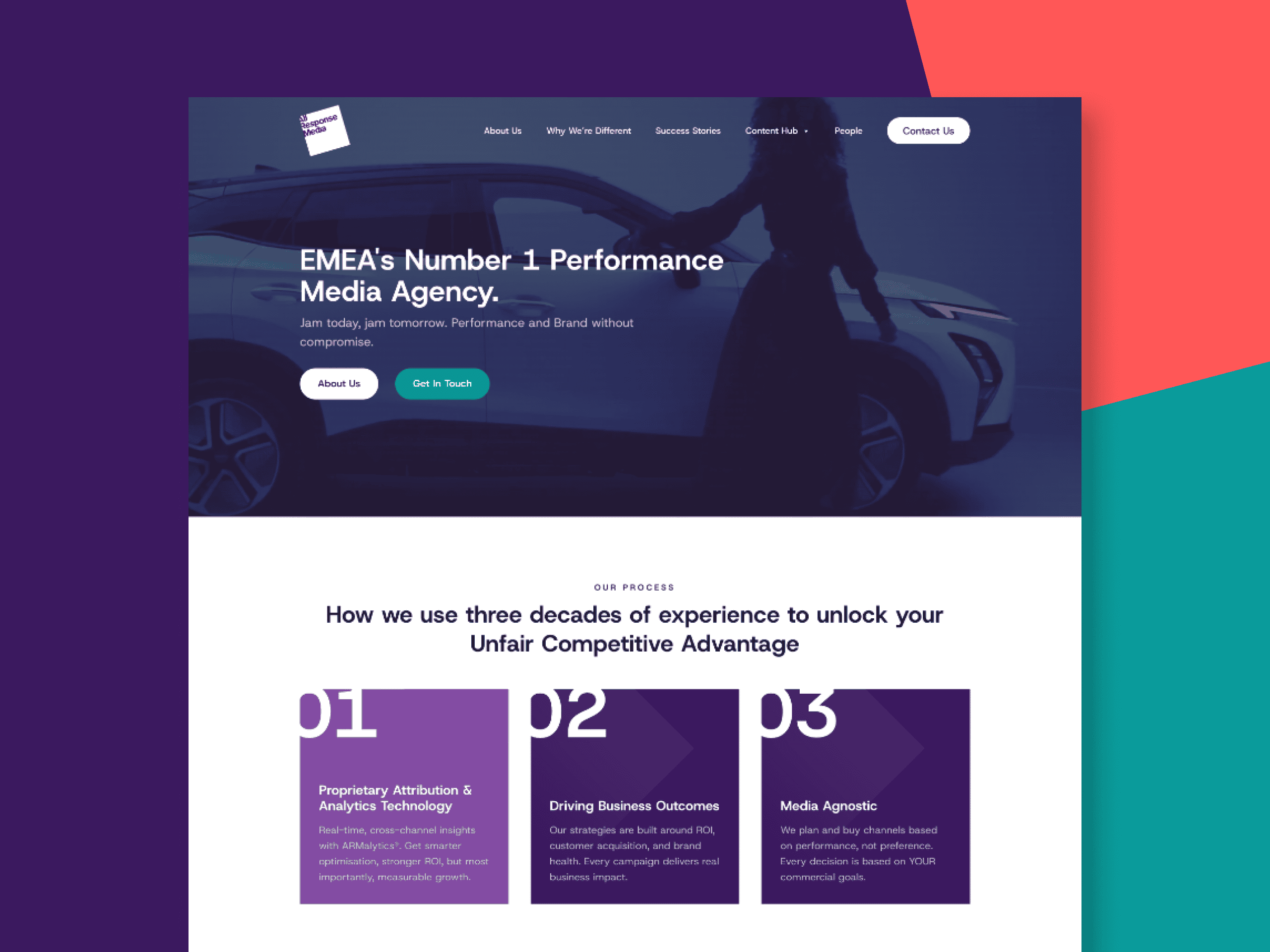
Recent projects combining bespoke design, WordPress development and clear user journeys.
For example, a business website may need stronger service pages, clearer enquiry paths and a more professional visual style. That is design work. But it may also need custom WordPress templates, flexible CMS sections, faster load times, better forms and cleaner code. That is development work.
You can also view examples of our recent website projects in our web design portfolio.
What Happens If You Only Focus on Design?
A design-led project can fail if the build is treated as an afterthought. The website may look good in mockups but become slow, hard to update or awkward to scale once it is developed.
Most performance problems are designed in, not coded in: visual choices made without considering page speed, CMS editing, accessibility, responsive behaviour or how the site will scale. Good design makes the site clearer; good development is what keeps that clarity intact once real content and traffic arrive.
What Happens If You Only Focus on Development?
A technically strong website can still underperform if the design, content and user journey are weak. Clean code is important, but visitors still need to understand who you are, what you offer and why they should trust you.
If the page layout is unclear, the messaging is vague or the calls to action are hidden, a well-built website may still fail to generate enquiries. Development provides the structure and functionality, but design is what turns it into something visitors want to use.
Role of Full-Stack Developers and Full-Service Website Teams
A full-stack developer can work across both front-end and back-end development. This is useful when a project needs someone who understands how the visible interface connects to the underlying functionality.
However, full-stack development is not the same as full website strategy. Larger or more commercially important projects often benefit from a joined-up approach that includes UX, design, content structure, development, testing, SEO foundations and launch support.
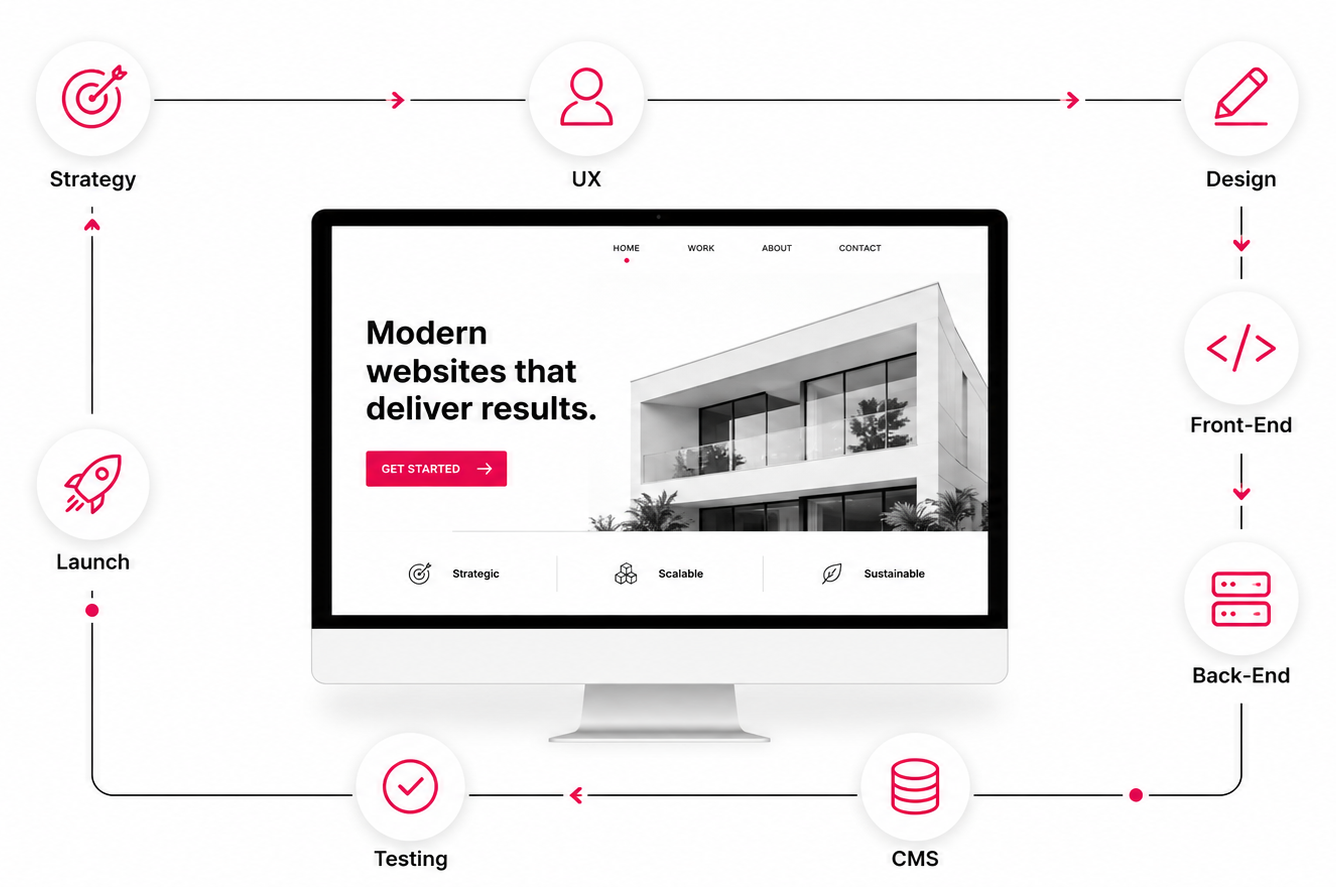
A complete website process covering strategy, design, development, CMS, testing and launch.
For smaller projects, one experienced specialist may cover several areas. For larger projects, separating design thinking from development execution usually creates a stronger result.
How Web Design and Development Are Changing
AI tools, no-code platforms and website builders have made it easier to produce simple web pages quickly. They can be useful for early-stage ideas, prototypes or very small websites.
For serious business websites, the core requirements have not changed. A site still needs clear messaging, strong UX, accessible design, fast performance, secure code, reliable forms, easy content management and a structure that supports search visibility.
The tools may change, but businesses still need websites that are easy to use, easy to manage and built around how they win and keep customers.
So, Do You Need Web Design, Web Development or Both?
If your main problem is visual clarity, brand presentation, user experience or conversion, start with web design. If your main problem is functionality, performance, CMS flexibility or technical limitations, start with web development.
If you are planning a new website or a serious redesign, you will usually need both. It works far better when design and development are planned together from the start, rather than handed off as separate tasks.
Web design vs web development is rarely a question of which one matters more. The useful question is what each discipline contributes to your project, and where your budget should go first.
If you are unsure what your website needs, as a bespoke web design agency in London, we can help you work out whether the priority is design, development or a complete rebuild. We build bespoke WordPress websites for businesses that need clear design, clean code and a site they can manage properly after launch.
Web Design vs Web Development FAQ
What is the difference between web design and web development?
Web design focuses on how a website looks, feels and guides users. Web development focuses on how the website is coded, structured and made to function. Design shapes the experience. Development builds the working website behind it.
Do I need a web designer or a web developer?
You need a web designer if your site looks dated, feels confusing or does not guide users clearly. You need a web developer if your site is slow, broken, hard to edit or missing important functionality. Many business websites need both.
Is website design the same as website development?
No. Website design is mainly concerned with layout, branding, UX, content structure and visual presentation. Website development turns that design into a working website using code, CMS setup, integrations and performance work.
Can one person do both web design and web development?
Sometimes, especially on smaller projects. However, larger or more commercial websites usually benefit from separate design and development thinking, even if the same agency manages both. This helps avoid a site that looks good but is hard to build, or a site that works technically but fails to convert.
Is WordPress web design or web development?
WordPress can involve both. Designing a WordPress website includes layout, UX, branding and page structure. Developing a WordPress website includes custom themes, templates, ACF fields, performance, plugins, integrations and CMS editing controls.
Which is more important, web design or web development?
Neither is more important on its own. A well-designed website can fail if it is slow, fragile or hard to update. A well-developed website can fail if the layout, messaging and user journey are weak. The best websites combine both.
Does web design affect SEO?
Yes. Web design affects SEO through layout, headings, internal linking, mobile usability, accessibility, content structure and how easily users can navigate the site. A confusing design can make even good content harder to use.
Does web development affect SEO?
Yes. Web development affects SEO through page speed, crawlability, code quality, structured content, mobile performance, redirects, accessibility and technical reliability. Poor development can limit how well a site performs in search.
Should I hire a web design and development agency?
If you are planning a serious business website, a redesign or a custom WordPress build, it is usually better to work with a team or agency that understands both. This helps keep the design, CMS, performance and long-term maintenance aligned from the start.
How do I know if my current website needs design or development work?
Look at the main problem. If the site looks dated, has weak messaging or does not convert, the issue is likely design and UX. If the site is slow, hard to edit, unreliable or missing features, the issue is likely development. If both are true, a full redesign and rebuild may be the better option.