
WordPress Page Speed Optimisation
Slow WordPress sites are made faster on desktop and mobile, so more visitors stay long enough to enquire, book or buy instead of leaving a page that will not load. Webpop Design fixes the technical causes behind poor performance, including Core Web Vitals, and tests every change so your design and functionality stay intact.
Optimise My Website


Why WordPress Website Owners Trust Us For Speed Optimisation.
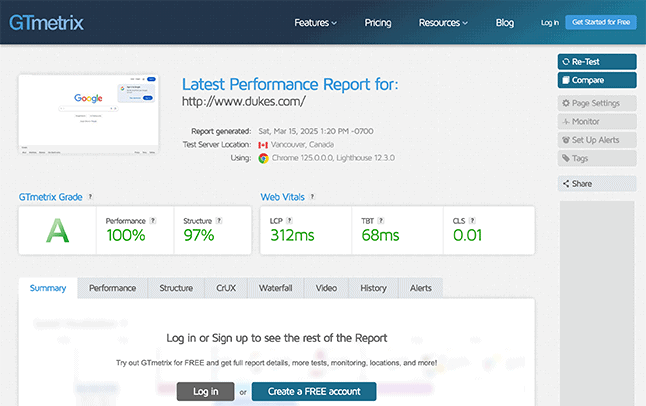
A slow WordPress site costs you enquiries and sales, and mobile visitors are usually first to leave when a page stalls. The work starts by diagnosing what is slowing the site down and fixing the underlying causes, using Core Web Vitals and live PageSpeed data.
A speed audit shows what is holding the site back. That can include caching, oversized images, database clutter, plugin bloat, render-blocking scripts, slow hosting or weak server response times. The fixes are then made, the site is retested and your existing design and functionality stay intact.
Some sites need one-off optimisation, while others need ongoing support as content, plugins and tracking scripts change. Either way, you end up with a faster WordPress website that holds visitors for longer and gives your search rankings a stronger technical base.
Get Started


What's Included in Our WordPress Page Speed Optimisation Service.
We fix the causes of slow WordPress performance, from Core Web Vitals and caching to images, plugins, hosting and WooCommerce.

Core Web Vitals Optimisation
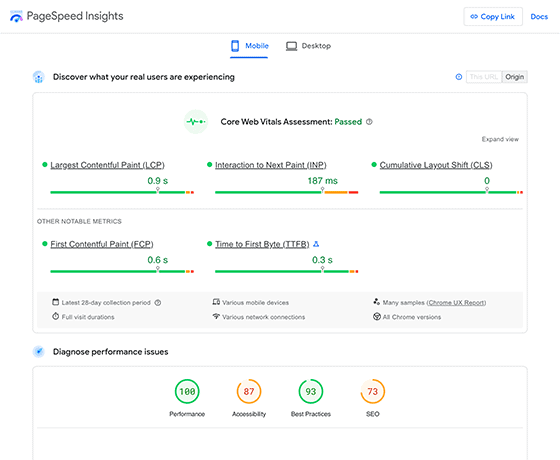
Core Web Vitals are improved by focusing on how quickly a page loads, responds and stays visually stable. Better scores create a smoother experience for users and strengthen the page experience signals that can affect rankings.

Caching Setup & Configuration
Most WordPress sites run a caching plugin on default settings that were never properly configured. Page, browser and object caching are set up to suit your site, so repeat visits load faster and your server does less work.

Database Cleanup & Optimisation
Over time, WordPress databases fill with revisions, expired transients, orphaned data and old plugin tables. That unnecessary weight is cleared without losing important data, helping the database respond more quickly.

Image Compression & Lazy Loading
Large, unoptimised images are one of the most common reasons WordPress pages load slowly. Images are compressed, converted to modern formats like WebP and lazy loaded, so pages download less data without losing quality.

CDN Integration
A CDN serves your images, CSS and scripts from servers closer to each visitor, helping files arrive faster wherever people are browsing from. It is set up, configured properly and tested against your WordPress build.

Plugin Audit & Bloat Removal
Too many WordPress plugins can add unnecessary scripts, duplicate features and slow database queries. Installed plugins are reviewed, avoidable weight is removed and heavy tools are replaced where a lighter option makes sense.

Mobile Speed Optimisation
Most visitors browse on phones, and Google judges your site mainly on mobile performance. Heavy assets, scripts and layout problems are reduced so your pages load more quickly on smaller screens and slower connections.

Hosting Migration & Server Tuning
Poor hosting can hold back even a well-optimised WordPress site. Where needed, better hosting is recommended, the migration is managed and server settings are fine-tuned to give your site a stronger performance foundation.

Full Site Speed Audit
Before any changes are made, your WordPress site is audited to find what is slowing it down. You get a clear breakdown of the main issues, their impact and the fixes likely to make the biggest difference.

WooCommerce Performance Optimisation
WooCommerce stores carry extra weight from cart fragments, checkout scripts, product data and heavy queries. The pages customers buy through are optimised, so product pages, basket and checkout load faster for shoppers.

TTFB & Server Response Time Reduction
Slow server response times delay every page before visitors see anything useful. The bottlenecks affecting TTFB are identified and the technical setup is improved so pages can start loading sooner.

Ongoing Performance Maintenance
WordPress performance can drop as plugins, content, tracking scripts and site features change. Caching, database health, Core Web Vitals and new content are kept under control so speed improvements continue to hold.
WordPress Speed Optimisation Built Around Real Performance Issues.
Because Webpop Design builds bespoke WordPress themes, WooCommerce websites and custom functionality, we do not rely on plugin dashboards alone to judge performance. We look at how the site is built, how assets load, where scripts are slowing the page down and what can be safely improved without damaging the design or functionality.
Many slow WordPress sites suffer from underlying problems: bloated themes, oversized images, heavy plugins, poor caching, render-blocking scripts, weak hosting or third-party tools that load too much code. We work through those issues carefully, removing weight and improving the parts of the site that have the biggest impact on real speed.
That can mean resizing and converting images, reducing scripts and styles, configuring caching, improving server response times, deferring non-critical files and fixing the setup behind Core Web Vitals. Every change is tested properly, so the site gets faster without breaking layouts, forms, ecommerce features or the editing experience your team relies on.
A high score only matters if the website feels faster to use. Our focus is on improving real-world performance for visitors, search engines and the people managing the site day to day. Where the limit sits outside WordPress, such as hosting, tracking scripts or a third-party platform, we explain the issue clearly and recommend the most sensible fix.
Our WordPress Speed Optimisation Process.
We improve WordPress performance carefully, protecting your design, content, functionality and key user journeys.

Speed Audit & Discovery
The process starts by testing your site across Google PageSpeed Insights, Lighthouse and real-world performance checks. This shows what is slowing the site down, including Core Web Vitals issues, heavy images, plugin bloat, slow hosting, weak caching, render-blocking scripts, database clutter and poor mobile performance overall.

Performance Strategy
Once the problems are clear, the fixes are prioritised by likely impact and technical risk involved. Not every speed issue carries the same value, so the focus stays on changes most likely to improve load times, user experience, search performance and conversion paths without wasting time chasing vanity scores.

Safe Technical Preparation
Before major changes are made, the site setup, plugins, theme files, hosting environment and essential functionality are reviewed. Forms, checkout flows, tracking scripts, booking tools and third-party integrations are then protected, so performance work does not break what the site needs to do.

WordPress Performance Fixes
The technical causes of slow performance are then fixed. This can include caching setup, image compression, lazy loading, CSS and JavaScript optimisation, database cleanup, plugin rationalisation, CDN configuration, TTFB improvements and mobile-specific work that helps pages load and respond faster.

Testing & Core Web Vitals Review
After the main fixes are complete, the site is tested again across mobile and desktop. Core Web Vitals, PageSpeed data, layout stability, server response times and key page templates are reviewed across the live site to make sure the improvements are visible, measurable and not limited to one isolated page.

Reporting & Ongoing Support
You receive a clear summary of what changed, what improved and what may still be limited by hosting, third-party scripts or the existing theme structure. If you want ongoing support, we can keep performance under control as new content, plugins, images, tracking tools and WordPress updates are added.
Improve Your WordPress Site Speed
Slow pages lose visitors before they enquire, book or buy. We reduce load times, improve Core Web Vitals and remove the technical weight slowing your site down, so more of the traffic you attract reaches the next step.
Speed Up My SiteAwards & Credentials.
Webpop Design is recognised across respected development and digital platforms.













Frequently Asked Questions.
Popular questions we are asked about our WordPress page speed optimisation service.





Why is my WordPress website slow?
WordPress websites usually slow down because several issues build up over time, including large images, too many plugins, poor hosting, weak caching, database clutter, render-blocking scripts and heavy themes. Our WordPress page speed optimisation service identifies the real causes across your theme, server, plugins and content, then improves the areas most likely to help load times, mobile usability and Core Web Vitals.
How does page speed affect SEO and rankings?
Page speed affects SEO because slow websites create a poor user experience, especially on mobile. Google also uses page experience signals, including Core Web Vitals, to understand how well a page performs for users. Speed alone will not make a weak page rank, but a faster WordPress site can support stronger rankings, better engagement and higher conversion rates when the content and search intent are already right.
What tools do you use to measure page speed?
Tools such as Google PageSpeed Insights, Lighthouse, GTmetrix and WebPageTest are used to review how your WordPress site performs across mobile and desktop. These tools help identify issues with loading speed, server response time, render-blocking scripts, image weight, layout stability and Core Web Vitals. The data, site structure and real user experience are then reviewed before prioritising the fixes most likely to improve performance properly.
Can you optimise my website without changing its design?
Yes. Most WordPress speed optimisation work happens behind the scenes, so your website can usually look the same while loading faster. The focus is on caching, image delivery, script loading, database performance, server response times and plugin weight rather than redesigning the page. If a design element is directly causing a performance issue, the trade-off is explained clearly before anything is changed.
Will my website be optimised for Google’s Core Web Vitals?
Yes. Core Web Vitals are an important part of WordPress performance optimisation, so the areas affecting loading speed, responsiveness and layout stability are reviewed carefully. This may include improving LCP, reducing interaction delays, fixing layout shifts, optimising images, reducing script weight, improving caching and lowering server response times, so your pages load faster and stay stable for users.
Do you optimise mobile speed separately from desktop?
Yes. Mobile speed often needs separate attention because mobile users may be on slower connections, smaller screens and less powerful devices. Mobile and desktop performance are reviewed separately, then the issues affecting each experience are dealt with properly. This can include reducing heavy scripts, compressing images, improving above-the-fold loading, tuning caching and getting key pages to load quicker on phones and tablets.
Can you improve speed without removing plugins?
Yes, where possible. Important plugins are not removed just to make a speed report look better. First, each plugin is reviewed to understand what it does, whether it is needed and how much weight it adds to the site. If a plugin is clearly slowing the site down or duplicating another feature, the issue is explained and the safest way to reduce the impact is recommended.
Will speed optimisation break any functionality on my site?
Speed optimisation can affect functionality if it is handled carelessly, especially when scripts, caching, forms, checkout flows or third-party tools are involved. That is why the work is handled cautiously, with close attention paid to enquiries, bookings, WooCommerce checkout, tracking scripts, menus and interactive elements. If a fix carries any risk, it is flagged before the change is applied.
How long will it take to optimise a WordPress website?
The timeframe depends on the size of the website, how it was built and what is causing the speed problems. Basic improvements such as image optimisation, caching setup and database cleanup can often be completed quickly. More advanced WordPress performance work, including Core Web Vitals fixes, script optimisation, hosting changes, WooCommerce performance and server response improvements, takes longer because it needs proper testing.
Do you offer ongoing maintenance to keep my site fast?
Speed improvements should hold, but WordPress sites can slow down again as new plugins, images, tracking scripts, content and updates are added. Hosting changes, theme updates and third-party tools can also affect performance over time. Ongoing page speed support can keep caching, databases, Core Web Vitals and new content under control, while staying realistic about what can be improved.