
WordPress Support & Maintenance Services
Ongoing WordPress support and maintenance for businesses relying on their website for enquiries, sales and activity. Webpop Design handles updates, plugin and theme checks, backups, monitoring, bug fixes and performance. Broken forms, update conflicts, security risks and slow pages are caught before they cost enquiries.
View Our Work Get a Quote


Why Ongoing WordPress Support Matters After Launch.
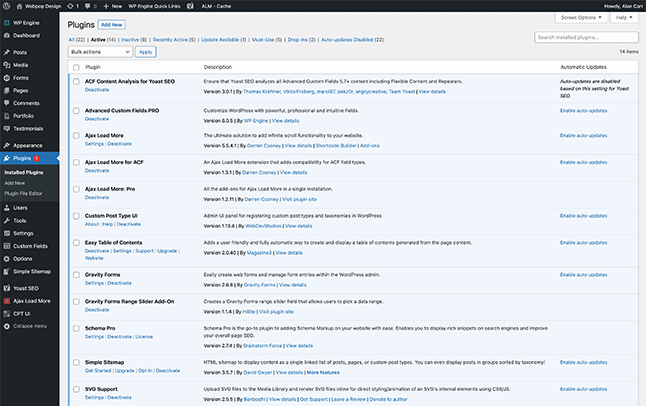
A WordPress website needs active support after launch to stay reliable. Plugins change, PHP versions move on, forms need checking and security risks appear. Without proper maintenance, a business-critical website can become slower, harder to edit and more likely to break.
Support focuses on the issues that are easy to miss. An outdated plugin, missing backup, weak admin setup or untested update can break layouts, stop enquiry forms working and quietly drag performance down before anyone notices.
Websites with custom themes, WooCommerce, ACF content, integrations or important enquiry journeys need real technical judgement, not box-ticking. Webpop Design keeps these sites stable, secure and editable as the business changes.
Start a New Project

WordPress Maintenance for Business-Critical Websites.
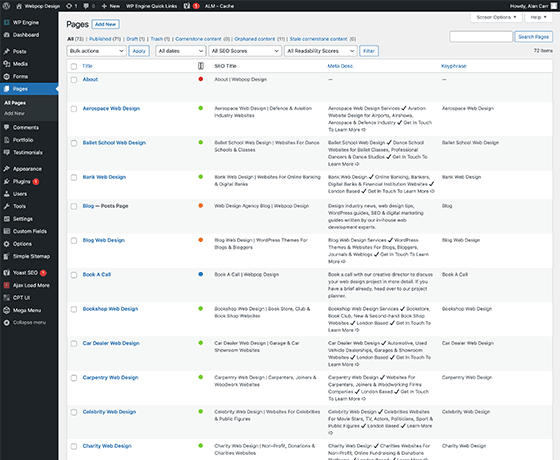
A well-maintained WordPress website gives your business a much better foundation for enquiries, bookings, sales and daily operations. Our support keeps the site secure, backed up and online, with technical help available when forms, plugins or key pages need attention. Webpop Design provides that without the delays or guesswork.
Marketing teams need a site that can keep pace with campaigns, content changes and lead generation. Landing pages, tracking scripts, enquiry forms and analytics all need to work while campaigns are live. Our WordPress support keeps that stack stable so launches are not held up by the site. Your team can make planned updates without worrying that small changes will affect key pages or reporting.
For ecommerce and internal teams, support is about keeping key journeys dependable. Product updates, checkout checks, payment gateways and plugin changes can break an order flow if handled badly. Webpop Design tests changes before they go live and fixes issues when they appear. This matters most when the website supports regular orders, customer enquiries, internal admin or time-sensitive operational tasks.
Our WordPress Support & Maintenance Process.
A structured process keeps support clear and predictable for the people who depend on the site every day.

Technical Review
The process starts by reviewing the setup: the theme, plugins, hosting, backups, forms, tracking and access permissions. We also check error logs, CMS structure and any custom functionality across the live site. That tells us where the risks, the quick wins and the longer-term work sit before we touch anything.

Update & Plugin Planning
Core, theme and plugin updates carry real risk on sites with bespoke templates, ACF layouts, WooCommerce or third-party integrations. We review what needs updating, where conflicts may appear and how to reduce disruption across important pages, forms and user journeys before changes are applied.

Backups & Safe Change Handling
Before significant updates or technical changes, the site needs a sensible backup and rollback route, with clear recovery steps agreed. Where appropriate, we use staging or a controlled update process so fixes, plugin changes and CMS adjustments can be handled without unnecessary risk to the live site.

Performance & Security Checks
We also watch how the site performs over time. Plugin bloat, slow templates, heavy images and a cluttered database all drag page speed down. We review these alongside admin access, suspicious behaviour and technical warning signs, since all three shape trust and long-term maintenance decisions.

Bug Fixes & CMS Support
Most ongoing support is practical fixes that keep your team moving. We sort out broken layouts, form issues, plugin conflicts, editing problems and front-end faults. We also help editors manage pages, service content, blog posts, landing pages, media and reusable blocks without breaking the wider design system.

Ongoing Support & Improvement
Once the site is stable, support becomes about keeping it useful. We give you straight answers and steady upkeep on a site that needs long-term flexibility, whether the priority is easier editing, safer updates, better performance or quick help when something needs urgent attention.
Keeping WordPress Websites Secure, Stable & Useful.
A website needs active support after launch if it is going to stay reliable, editable and commercially useful. Updates, plugins, PHP changes, forms and integrations all affect how well it runs, and the risk increases once the site is handling enquiries, sales or daily business activity. Webpop Design gives you clear ownership, responsive support and faster fixes.
Safe maintenance is more than a button push. Custom templates, ACF flexible content, WooCommerce, tracking scripts and enquiry forms each need careful handling. Key layouts are tested, forms are checked, plugin risk is reviewed and backups are protected, so a routine update does not become lost leads or a broken customer journey.
Good support also keeps the site moving forward. Uptime, speed, Core Web Vitals, unused plugins, redirects and analytics are reviewed, so editors can keep using the CMS properly. That keeps the site secure, stable and easy to manage as the business changes.

Why Choose Webpop Design for WordPress Support & Maintenance.
Webpop Design suits businesses that need WordPress support from people who understand custom websites, not just maintenance tasks. The team has worked together for 18 years across custom themes, ACF flexible content, plugins, WooCommerce and CMS workflows, which is why we keep sites stable and editable rather than just patched.
We handle support with technical judgement, not a monthly “update all” routine. We review how the site is built, where risks may appear, how changes affect key journeys and what your team needs from the CMS. You get clearer answers, faster troubleshooting and a site that stays easier to manage.
Request a ProposalRecognition & Awards.
Recognised across respected website design, development and digital sector platforms.











Trusted Feedback from Webpop Design Clients.
Read client feedback on Webpop Design’s technical support, clear explanations and reliable delivery.

Tim Marshall
Allegiant Finance

Emma Griffiths
Synchtank

Emily De Jesus
LS Tractor USA

Alan Harder
Tango Financial

Dan Garner
Xibo
Need Reliable WordPress Support from a Team That Understands Business Websites
Keep your website secure, stable and easy to manage with reliable support when updates, bugs or technical issues arise. Talk to Webpop Design about reviewing your current setup and finding the right maintenance plan for your business.
Start a ProposalFrequently Asked Questions.
Answers to useful questions about WordPress maintenance, updates, backups, support plans, security, performance and ongoing technical help.



What does WordPress maintenance include?
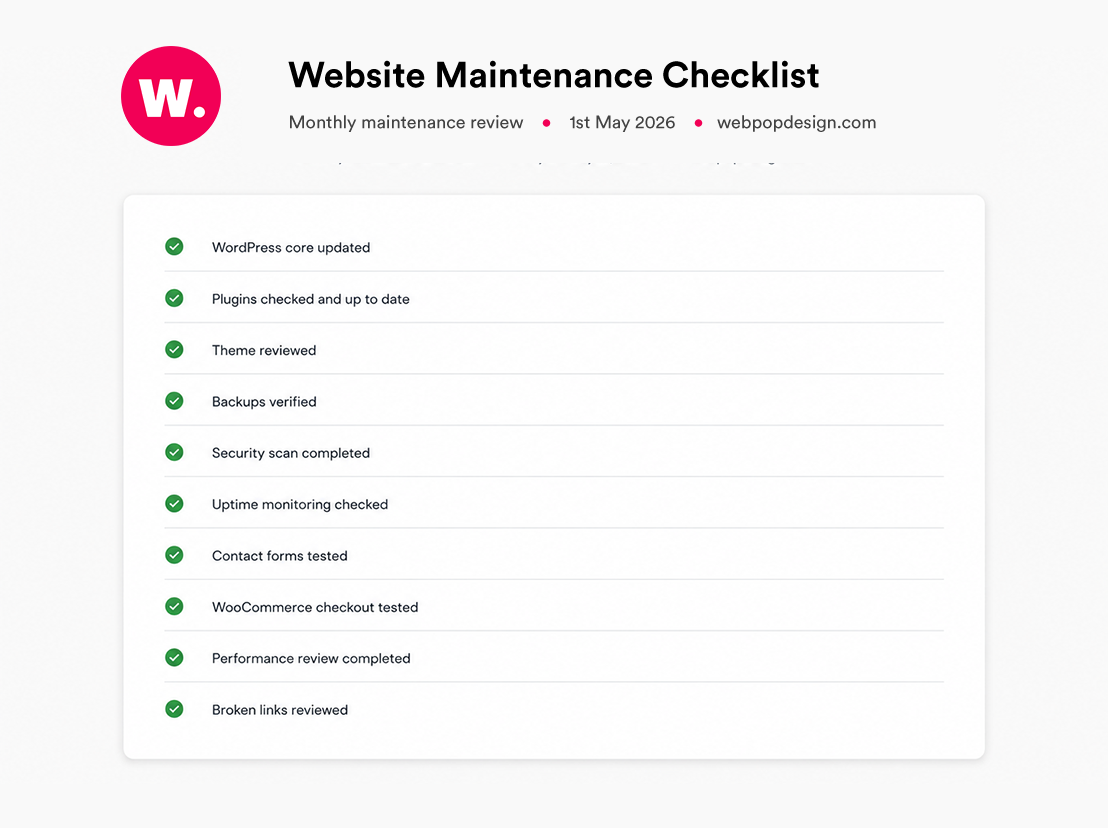
Maintenance usually includes core updates, plugin updates, theme checks, backups, security reviews, uptime monitoring, performance checks, bug fixing and CMS support. For more complex sites, it can also include form testing, WooCommerce checks, staging, technical audits and support for custom functionality.
How much do WordPress support and maintenance services cost?
The cost depends on the size, condition and complexity of the website. A simple brochure site usually needs less support than a custom build with WooCommerce, ACF content, forms, integrations and important enquiry journeys. Webpop Design can review the site first and recommend a suitable support arrangement.
Do you offer monthly WordPress maintenance plans?
Yes, support can be handled through a monthly maintenance plan or an agreed support arrangement, depending on what the website needs. Some businesses mainly need updates, backups and monitoring, while others need regular technical help, content changes, bug fixes and ongoing improvement.
Can you support a website you did not build?
Yes, existing websites built by another agency, developer or internal team can be supported. The first things we check are how many plugins the site carries and whether the theme is bespoke or built with a page builder, because that tells us the risk profile before anything is changed.
How are WordPress updates handled?
Updates need careful handling on business-critical websites. Core, plugin and theme changes can affect layouts, forms, WooCommerce, tracking scripts and custom features. Where appropriate, key areas are checked before and after updates, with backups in place before significant changes.
Can you help with hacked WordPress websites?
We can review hacked or suspicious websites and help identify the likely issue, affected files, plugin risks and recovery options. The right approach depends on the hosting setup, backups, access available and severity of the problem. We avoid promising guaranteed security or instant recovery before checking the site properly.
Do you support WooCommerce websites?
Yes, WooCommerce websites can be supported as part of a maintenance arrangement. This can include plugin updates, checkout checks, product page issues, payment route checks, layout fixes, performance reviews and troubleshooting where WooCommerce is connected to the wider website setup.
Can you improve WordPress speed and performance?
Yes, WordPress performance support can include reviewing plugin bloat, image weight, caching, database clutter, theme performance, Core Web Vitals and slow key pages. The aim is to improve the parts of the site that affect users, enquiries, sales and day-to-day editing, not just chase a score.
Do you include content updates and bug fixes?
Support can include content updates and practical bug fixes, depending on the agreed arrangement. This might include page edits, form issues, layout problems, CMS errors, plugin conflicts, broken templates or small technical changes that help your team keep the website working properly.
Do we still need support if hosting is managed?
Managed hosting is useful, but it is not the same as WordPress maintenance. Hosting may cover server-level performance, backups or security features, but it does not usually manage custom themes, plugin conflicts, broken forms, WooCommerce issues, CMS workflows, content changes or site-specific technical support.