
 Alan Carr
A website redesign can make your site clearer and faster, but it can also put existing SEO rankings at risk if the project is handled like a visual refresh rather than a controlled migration.
The danger is rarely the new design itself. Rankings usually suffer when important URLs change without redirects, valuable content is removed, internal links are broken, metadata is missed, pages become harder to crawl, or search engines are given a completely different site structure without enough continuity.
For businesses that already receive organic traffic, enquiries or sales from Google, a redesign should not start with a blank canvas. It should begin from what already works. The aim is to improve the website without losing the pages, rankings, backlinks and search visibility that have taken time to build.
This guide explains how to redesign a website without losing SEO rankings, including what to audit before work begins, how to handle URL changes, what to preserve during the rebuild, and what to check before and after launch.
Redesign Without Losing Rankings
A website redesign can improve your site, but it needs proper planning if your current pages already bring in organic traffic, enquiries or sales. The safest approach is to treat the redesign as an SEO migration, not just a visual update.
- Audit your current rankings, traffic, backlinks and highest-performing pages before making changes.
- Keep existing URLs where possible, and create a clear 301 redirect map for any URLs that change.
- Preserve important content, headings, metadata, internal links, schema and image alt text.
- Test the redesigned site before launch, including redirects, mobile usability, speed and indexability.
- Monitor Google Search Console, analytics, rankings, 404 errors and organic enquiries after launch.
The goal is to launch a stronger, clearer website without losing the visibility you have already built.
Why Website Redesigns Can Damage SEO Rankings
A website redesign can affect SEO because search engines judge far more than how a site looks. They rely on URLs, content, headings, internal links, backlinks, page speed, structured data, mobile usability, crawlability and indexation signals.
If those signals change suddenly, disappear or point to the wrong place, rankings can drop. A page that looks outdated may still bring in valuable organic traffic. A long service page may include sections that rank for useful search terms. Older URLs often carry backlinks, internal links and a search history that Google already understands.
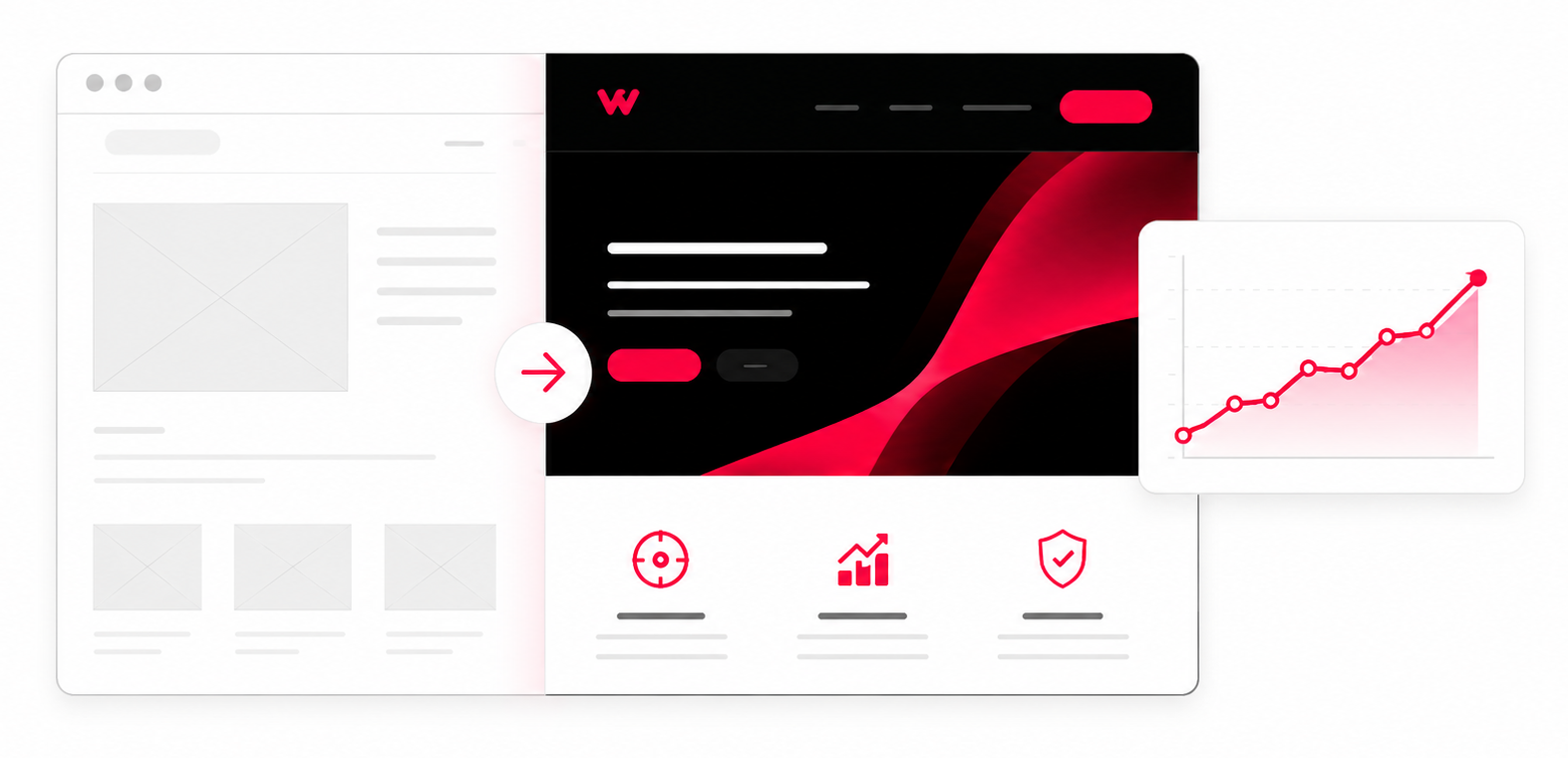
Redesigning without losing hard-earned search visibility and organic momentum
This is why the safest redesigns protect what already performs before improving the design around it. The new site can look completely different, but the SEO value behind the old site needs to be carried across deliberately.
What Google Already Understands About Your Site
Over time, Google builds an understanding of your website through its pages, URLs, content, links and user signals. It learns which pages answer which searches, how sections of the site relate to each other, and which URLs other sites link to.
A redesign can disrupt that understanding if too many things change at once. If a ranking page is removed, rewritten too heavily, redirected to an irrelevant page or buried deeper in the site, Google may no longer see it as the same useful result.
The goal is to improve the old site while keeping the signals that helped it rank.
When a Redesign Becomes an SEO Migration
A simple visual refresh may not create much SEO risk if the same pages, URLs, content and structure remain in place. A redesign becomes an SEO migration when you change URLs, merge pages, remove sections, rewrite large amounts of content, move to a new CMS, alter navigation, rebuild templates or restructure the site.
At that point, the project needs more than design approval. It needs a migration plan that explains what will stay, what will change, where old URLs will redirect, how important content will be preserved, and how the new site will be tested before launch.
Without that plan, even a well-designed website can lose rankings because search engines are forced to reprocess too many changes without a clear connection between the old site and the new one.
The Mistakes That Usually Cause Ranking Drops
Most SEO problems after a redesign are avoidable. They usually happen when the team focuses on the visible website and overlooks the search signals behind it.
Common mistakes include changing URL structures without 301 redirects, deleting high-performing pages, replacing useful copy with thin brand messaging, missing title tags and meta descriptions, breaking internal links, removing schema markup, forgetting image alt text, launching with noindex tags still active, or allowing a staging site to be indexed.
Another frequent issue is launching the new site without crawling it first. Broken links, redirect chains, missing pages, incorrect canonical tags, blocked resources and 404 errors can all damage performance if they are only discovered after launch.
Plan the Redesign Around What Already Works
Before wireframes, copywriting or development begin, you need to know which parts of the current website are worth protecting. This prevents decisions being made on appearance alone.
A proper pre-redesign review should look at organic landing pages, keyword rankings, backlinks, conversions, crawlability, indexation, metadata, internal links, page speed and technical issues. The aim is to identify the pages, content and search signals that must not be lost during the redesign, alongside the problems worth fixing.
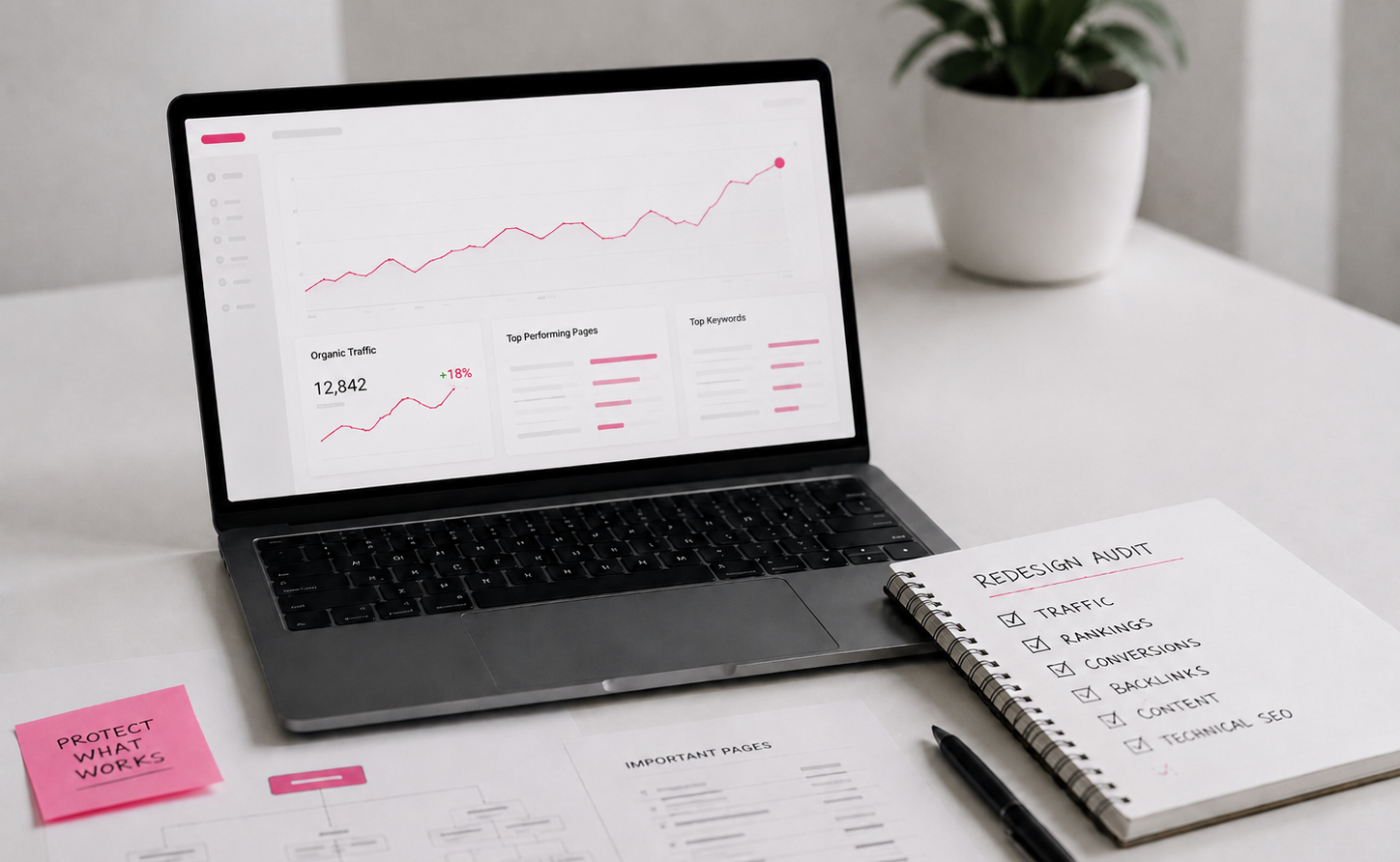
Audit what already works before changing the structure
This is also the stage where it helps to decide whether you need a full redesign or a simpler refresh. A full redesign may be right if the structure, user journey, content and technology are holding the site back. A refresh may be enough if the site performs well and only needs visual, content or conversion improvements. Our website redesign vs refresh guide explains the difference.
Audit Organic Landing Pages and Conversions
Start by reviewing the pages that currently bring in organic traffic, enquiries, bookings or sales. These pages should be treated as assets, even if they look dated.
Use Google Analytics, Google Search Console and ranking data to identify high-performing pages. Look for pages with impressions, clicks, conversions, backlinks or rankings for commercially useful search terms.
These pages should not be deleted, merged or rewritten without a clear reason. If a page is already ranking and converting, the safer approach is often to improve it rather than replace it completely.
Review Keywords, Backlinks and Search Intent
Keyword data helps you understand why each page ranks. A service page rarely ranks for its main phrase alone. It often picks up questions, comparisons, location searches and long-tail terms too. Removing sections without checking this data can weaken the page.
Backlinks also need to be reviewed. If other websites link to a page, that URL has value. If the page is removed or changed without a relevant redirect, some of that authority can be lost.
Search intent matters too. A redesigned page should still satisfy the reason someone searched in the first place. Improving layout and visuals is useful, but not if the new page removes the detail people came to find.
Record Metadata, Headings and Important Page Elements
Before rebuilding key pages, record their title tags, meta descriptions, H1s, main headings, image alt text, schema markup, canonical tags and internal links. Some of these elements may need improving, but they should not be lost by accident.
This is especially important when moving to new templates or a new CMS setup. Metadata, schema and image fields can easily be missed if they are not part of the migration plan. On a bespoke WordPress build, much of the content you rely on does not sit in the main editor at all. It lives in Advanced Custom Fields, field groups and page templates. The visible body copy usually survives a move while the custom field content behind it does not, so we map the field structure before any rebuild starts.
A redesign is a good chance to improve weak page elements, but only after you understand what the current page is doing well.
Keep Important URLs Stable Where Possible
URLs are one of the most important things to protect during a website redesign. If an existing URL ranks well, has backlinks and still makes sense, keeping it is usually the safest option.
Changing URLs just to make them look neater can create unnecessary risk. Even with redirects in place, a URL change asks search engines to transfer signals from the old page to the new one. That can work well when handled properly, but it should not be done without a reason.
A good redesign keeps stable URLs where possible and only changes URLs when there is a clear structural, content or commercial benefit.
Create a 301 Redirect Map Before Launch
If URLs do need to change, create a redirect map before the new site goes live. This should list every old URL and the most relevant new URL it should point to.
Each important page should have a direct 301 redirect to its replacement. Avoid sending all old URLs to the homepage. This is poor for users and gives search engines little context.
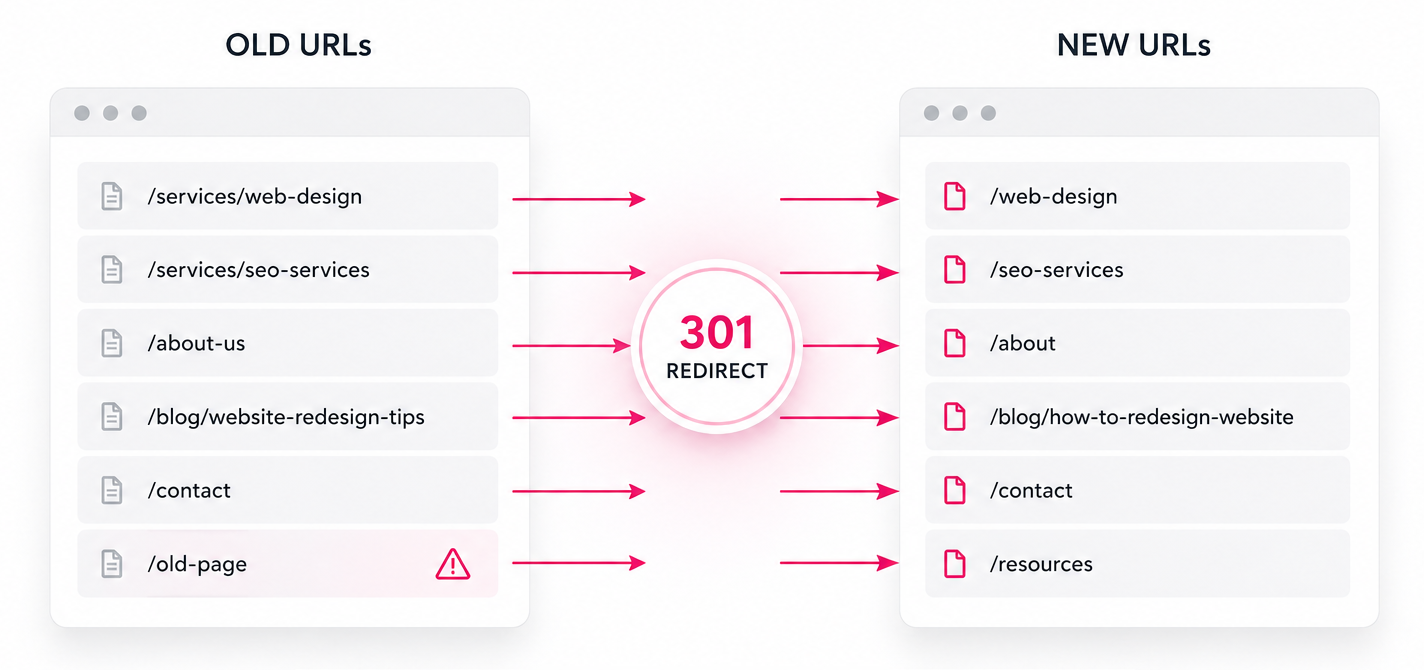
Mapping old URLs to protect ranking value and link equity
If a service page has moved, redirect it to the new version of that service page. If a blog post has been merged into a stronger guide, redirect it to that guide. If a page no longer exists, choose the closest relevant alternative. Done properly, the redirect map is what carries ranking value from the old URLs to the new ones.
Avoid Redirect Chains, Loops and Broken Links
Redirects should be clean and direct. A redirect chain happens when one URL redirects to another, then another, before reaching the final page. A redirect loop happens when URLs send users and crawlers around in circles without resolving properly.
Both issues can create crawl problems and a poor user experience. After redirects are added, crawl the site to check that old URLs resolve correctly, internal links point to the final destination, and no important pages return 404 errors.
Internal links should usually be updated to the final live URLs rather than relying on redirects inside the site.
Preserve and Improve Ranking Content
Content is often where redesigns cause hidden SEO damage. During a redesign, it can be tempting to shorten pages, remove older sections or replace detailed copy with cleaner visual blocks. That may improve the design, but it can also remove the information that helped the page rank.
This does not mean all old content should be kept exactly as it is. Weak, duplicated or outdated content can be improved. The point is to understand what each page currently ranks for before deciding what to change.
The best redesigns preserve the useful substance of important pages, then improve structure, clarity, layout and conversion around it.
Do Not Cut Useful Content Just to Make the Page Look Cleaner
Cleaner design does not have to mean thinner content. Important service pages still need enough detail to satisfy visitors and search engines.
If content is too long, restructure it; if it is unclear or outdated, rewrite and improve it. Avoid cutting valuable sections simply because the new design looks neater with less copy.
Many ranking pages perform because they answer several related questions in one place. Removing those answers can weaken the page, even if the new design looks sharper.
Improve Pages Without Diluting Search Intent
Every important page should have a clear job. If a page ranks for a commercial service term, the redesigned version should still support that intent. It should explain the service, address buyer concerns, show trust, guide the reader and make the next step obvious.
Problems happen when service pages become too vague after a redesign. Generic brand copy can read well, but it often performs worse than specific, useful content.
Keep the language clear, practical and aligned with what the visitor came to find.
Carry Across Internal Links and Supporting Content
Internal links help users and search engines understand the relationship between pages. During a redesign, important internal links should be reviewed and carried across deliberately.
This includes links from service pages to related services, guides, case studies, contact pages, project planners and supporting articles. If the navigation changes, make sure valuable pages do not become buried or isolated.
Good internal linking can also improve the redesigned site by making journeys clearer for users and more logical for search engines. A redesign is also when over-optimised anchors tend to creep back in. New navigation and footers often repeat the same exact-match keyword link across the whole site, and in our experience a single exact-match anchor used sitewide can hold back the very page it points to. We keep internal anchors varied and relevant to each placement rather than repeating one commercial phrase everywhere.
Protect Technical SEO During the Rebuild
Technical SEO should be built into the redesign process rather than added at the end. A new website can look excellent but still struggle if it is slow, difficult to crawl, poorly structured or missing important technical signals.
The technical checks depend on the size and complexity of the site, but the core priorities are crawlability, indexability, performance, mobile usability, metadata, structured data and clean template output.
These details matter because they affect whether search engines can access, understand and trust the redesigned site.
Block Staging Sites From Search Engines
A staging site should not be visible in Google. If search engines index a staging version, it can create duplicate content, expose unfinished pages and confuse search results.
Use appropriate noindex protection, password protection or server-level restrictions while the redesigned site is in development. Before launch, check that any noindex rules or blocking settings are removed from the live site.
Leaving a noindex rule active on the live site is one of the most damaging mistakes a launch can make.
Maintain Metadata, Canonicals and Structured Data
Title tags, meta descriptions, canonical tags and structured data should be reviewed as part of the rebuild. They do not need to be copied blindly, but important SEO elements should not disappear during the move.
Structured data helps search engines understand specific types of content. It can be particularly useful for articles, products, reviews, FAQs, local business information and ecommerce pages.
If the old site uses schema markup, check whether it should be carried across, corrected or improved on the new site.
Improve Speed, Mobile Usability and Template Quality
A redesign should improve the user experience, not just the visual presentation. Mobile layouts need to be easy to use, calls to action should be visible, forms should work properly, and key content should not be hidden behind awkward interactions.
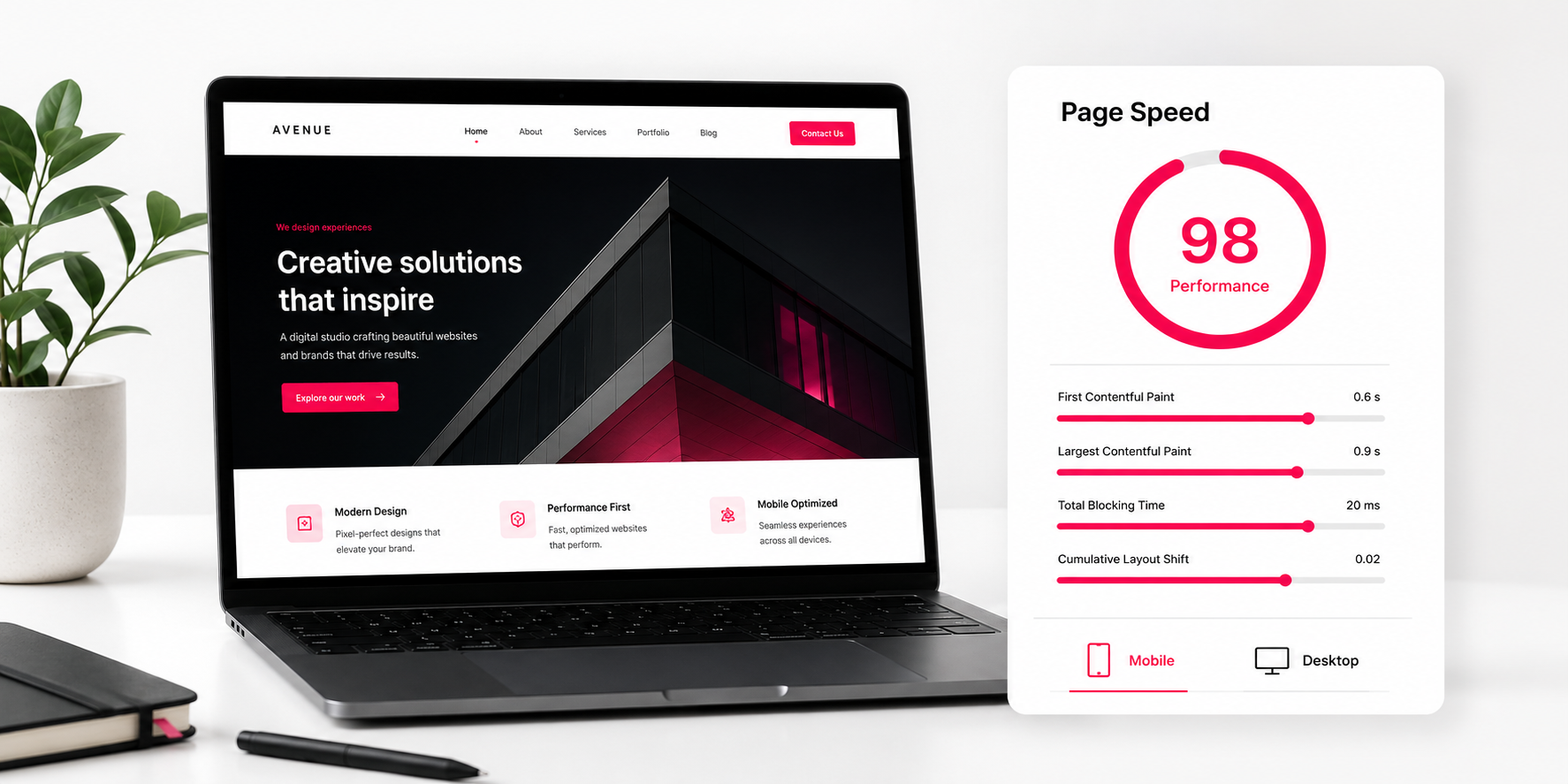
Improving page speed, mobile usability and template quality during a redesign
Site speed optimisation is also important. Large images, heavy scripts, unnecessary plugins, bloated themes and poorly built templates can slow a redesigned site down. During the rebuild, optimise images, reduce unnecessary code and test key templates using tools such as Google PageSpeed Insights.
For bespoke builds, a lighter custom theme pays off here. It gives you more control over templates, editable content sections, performance and long-term flexibility than a heavy off-the-shelf setup. The redesigns that lose Core Web Vitals after launch are usually the ones rebuilt on page-builder themes, where the weight is baked into the foundation and cannot be optimised away afterwards. We build on lean custom code for this reason, so speed holds up once the site is live and content is added.
Test the Redesigned Site Before It Goes Live
Pre-launch testing is where many redesign issues are caught before they affect users or search engines. The redesigned site should be reviewed on staging before it goes live, ideally with both human checks and a technical crawl.
Testing should cover the pages themselves, the redirects, the navigation, the forms, the tracking setup and the technical SEO foundations. The aim is to launch with confidence rather than discover basic problems after the site is already live.
Crawl the Staging Site
Use a crawler such as Screaming Frog to check the staging site before launch. Look for missing pages, broken links, redirect issues, duplicate titles, missing meta descriptions, incorrect canonicals, noindex tags, thin pages and unexpected status codes.
This crawl should be compared with the original site crawl. If important pages are missing from the new version, they should be reviewed before launch.
It is much easier to fix these issues before launch than after rankings, users and live enquiries are affected.
Check Forms, Tracking and Conversion Paths
SEO is not only about rankings. If the redesigned site keeps traffic but weakens enquiries, the project has still failed commercially.
Test enquiry forms, booking flows, newsletter sign-ups, ecommerce journeys, phone links, email links and key calls to action. Check that Google Analytics, conversion tracking and any other reporting tools are working correctly.
A redesign should protect search visibility and improve the route from visitor to enquiry.
Review Mobile and Browser Behaviour
The site should be tested across key devices, screen sizes and browsers. Pay attention to navigation, sticky elements, forms, image cropping, content spacing, interactive sections and page speed.
A page that works well on desktop can still perform badly on mobile if the layout becomes cramped, important content is pushed too far down, or calls to action are hard to use.
Mobile testing should focus on real journeys, not just whether the layout technically fits the screen.
What to Check on Launch Day
Launch day should follow a clear checklist. This is not the time to rely on assumptions. Once the redesigned website is live, the priority is to confirm that users and search engines can access the right pages.
Check that the live site can be crawled, important pages return the correct status codes, redirects are working, the XML sitemap is updated, robots.txt is correct, canonical tags point to the right URLs, analytics is recording data and forms are sending properly.
If URLs have changed, test a sample of old URLs manually and through a crawl. Important pages should redirect cleanly to their new equivalents.
After launch, submit the updated XML sitemap in Google Search Console and monitor indexing, coverage, 404 errors and performance data.
Monitor SEO Performance After the Redesign
Some fluctuation after a redesign is normal, especially if URLs, content or structure have changed. The key is to monitor the right data so that small issues can be fixed before they become larger problems.
Monitoring rankings, traffic and errors after the site goes live
Post-launch monitoring should include rankings, organic traffic, impressions, clicks, conversions, crawl errors, indexed pages, 404s, page speed and enquiry volume. It is also worth checking whether important pages are still receiving internal links and whether any redirects need correcting.
Watch Traffic by Page, Not Just Sitewide
A sitewide traffic graph can hide page-level issues. If traffic drops, check which pages or sections have been affected.
A single missing redirect, removed content block or technical error can affect an important landing page even if the rest of the site looks stable. Review organic landing pages in analytics and compare them with pre-launch performance.
If a high-value page has dropped, investigate its URL, content, metadata, internal links, indexation and redirects before making broader assumptions.
Fix 404 Errors Quickly
404 errors are common after redesigns, especially on larger sites. Not every 404 is serious, but old URLs with traffic, backlinks or internal links should be redirected to relevant live pages.
Google Search Console, crawl tools and server logs can help identify these issues. The sooner they are fixed, the less disruption they are likely to cause.
Do not ignore 404s simply because the new site looks correct from the main navigation.
Allow Time for Search Engines to Reprocess Changes
If the migration has been handled properly, search engines still need time to crawl the new site, process redirects and reassess changed pages. Small ranking movements are normal.
Large or sustained drops should not be ignored. They usually point to a specific issue such as missing redirects, removed content, noindex tags, blocked resources, changed internal links or weaker page relevance.
Most can be fixed quickly once the cause is identified.
Common Website Redesign Mistakes to Avoid
Most SEO problems during a redesign are preventable. They happen when the project is treated as a visual exercise rather than a business-critical rebuild of an existing search asset. Across the sites we have rebuilt, the drops almost always trace back to redirects rather than the design itself, whether they are missing, chained, or pointed at a page that no longer matches the original intent.
The safest redesigns are planned around both users and search engines. They protect what already works, remove what is holding the site back, and improve the design without making unnecessary changes to proven SEO assets.
Changing Too Much at Once
A redesign often includes new layouts, new copy, new navigation, new templates and new technical foundations. That can be useful, but changing everything at once makes it harder to understand what caused any performance change after launch.
Where possible, protect the strongest pages and make deliberate improvements rather than unnecessary changes. The more controlled the redesign, the easier it is to preserve SEO performance.
Removing Content Without Checking Its Value
Content should not be removed just because it looks old or takes up space. Some of the least glamorous sections of a website can still support rankings, answer buyer questions or bring in long-tail traffic.
Before removing content, check whether the page receives impressions, clicks, backlinks or conversions. If it does, improve it rather than deleting it without a plan.
Launching Without SEO Sign-Off
A redesigned site should not go live until the key SEO checks are complete. That includes redirects, indexation settings, metadata, canonicals, internal links, sitemap, robots.txt, tracking and form testing.
SEO sign-off does not need to slow the project down. It simply makes sure the launch is controlled.
Can a Website Redesign Improve SEO?
Yes, a website redesign can improve SEO when it is planned properly. A stronger design can improve engagement, navigation, page speed, mobile usability, content structure and conversion paths. A better site architecture can also make it easier for search engines to understand your most important pages.
The key is to avoid treating SEO protection and design improvement as separate goals. The best redesigns do both. They preserve the search value already built into the existing site, then improve the layout, content and technical foundations around it.
A redesign can be a good opportunity to remove weak pages, consolidate overlapping content, improve internal linking, refine service pages, strengthen trust signals and create a clearer journey from search result to enquiry.
Planning a Website Redesign Without Losing SEO
If you are considering a redesign and already receive traffic from Google, the planning stage matters as much as the design stage. A good website redesign agency in London should look beyond the visual side of the project and consider SEO, redirects, performance, content, tracking and conversion from the start.
At Webpop Design, we have been building bespoke websites for 18 years, so we know a successful redesign takes more than better visuals. It comes down to understanding what the existing site does well, what is holding it back, and what needs protecting before anything changes.
Our redesign process starts by looking at the current website as an asset, not something to discard. That means reviewing which pages rank, which pages convert, which URLs need protecting, and where the current structure, content or user journey is limiting the business. From there, the new website can be planned around clearer structure, stronger content, better usability and a safer launch process.
This matters most for established websites that have built up years of search visibility. The aim is to keep the value that already exists, then build a better website around it.
If you want to plan a redesign without risking your existing rankings, use our website project planner to outline your requirements and start with a clearer view of what needs to be protected.
Frequently Asked Questions
Will I lose SEO rankings if I redesign my website?
You should not lose SEO rankings if the redesign is planned properly, but there is always risk when URLs, content, navigation, templates or technical settings change. The safest approach is to audit the existing site first, protect high-performing pages, keep important URLs where possible and use 301 redirects where URLs need to change.
How do I redesign a website without losing traffic?
Start by identifying the pages that currently bring in organic traffic, enquiries or sales. Keep those pages stable where possible, preserve useful content, carry across metadata and internal links, and test the redesigned site before launch. After launch, monitor Google Search Console, analytics, rankings and 404 errors so any issues can be fixed quickly.
Does changing URLs affect SEO?
Changing URLs can affect SEO because Google has to understand where the old page has moved and whether the new page is a suitable replacement. If a URL already ranks well and still makes sense, it is usually safer to keep it. When a URL does need to change, use a direct 301 redirect to the most relevant new page.
Do I need 301 redirects for a website redesign?
You need 301 redirects if any live URLs are changing. A redirect tells users and search engines where the old page has moved. Without redirects, visitors may hit 404 errors, backlinks may lose value and search engines may struggle to connect the old page with its replacement.
Should I keep the same content during a redesign?
You do not need to keep every sentence exactly the same, but you should understand which content is helping each page rank before removing or rewriting it. Strong content can be improved, restructured and made easier to read, but useful sections should not be cut purely to make the new design look cleaner.
Can a website redesign improve SEO?
Yes. A redesign can improve SEO when it strengthens the site structure, content, speed, mobile experience, internal linking and conversion journey. The key is to protect what already works first, then improve the weaker parts of the site in a controlled way.
How long does SEO take to settle after a redesign?
Some movement in rankings and traffic is normal after a redesign, especially if URLs, content or structure have changed. Small fluctuations may settle as Google recrawls the site and processes redirects. Larger or sustained drops should be investigated quickly, as they often point to missing redirects, removed content, noindex tags, crawl issues or weaker page relevance.
What should be checked before launching a redesigned website?
Before launch, check redirects, broken links, page titles, meta descriptions, headings, canonical tags, schema, mobile layouts, page speed, forms, tracking, XML sitemap, robots.txt and indexation settings. The staging site should also be crawled so missing pages, 404 errors and technical issues can be fixed before the site goes live.
What should I monitor after a website redesign?
After launch, monitor organic traffic, rankings, impressions, clicks, enquiries, indexed pages, crawl errors, 404s and page speed. It is important to look at page-level performance rather than only checking overall traffic, because a single important landing page can drop even if the rest of the site appears stable.
Is a website redesign the same as a website migration?
Not always. A simple visual refresh may keep the same URLs, content and structure. A redesign becomes closer to a migration when URLs change, pages are merged, content is rewritten, templates are rebuilt, navigation changes or the site moves to a new CMS. Those projects need a more careful SEO plan.
Should SEO be handled before or after the redesign?
SEO should be considered before the redesign begins. If SEO is only reviewed after launch, important decisions around URLs, content, structure and redirects may already have been made. The safest redesigns build SEO into the planning, design, development, testing and launch process.
Can Webpop Design help with an SEO-safe website redesign?
Yes. Webpop Design plans redesigns around the existing website first, including the pages that rank, the URLs that need protecting, the content that drives enquiries and the technical checks needed before launch. The aim is to improve the site without carelessly losing the search value already built into it.