
 Webpop Design Marketing Team
If your business sits anywhere in financial services, your website is more than a brochure that looks professional. In a cautious, comparison-driven, high-trust market, it is often the first serious trust test a prospect will run before they enquire, apply, book a call or choose a competitor instead.
A well-planned finance website has to make your offer clear, prove your credibility, explain risk and fees properly, and give cautious visitors a safe next step. That matters whether you work in lending, wealth management, accountancy, insurance, fintech, investment, banking or advisory services.
Finance visitors usually arrive with high intent, but they also arrive with caution. They compare you against other firms, look for proof you are legitimate, scan for fees, check whether you are regulated, and try to work out whether you are right for their situation. If your site feels vague, slow, confusing, overly sales-led or light on detail, you may not get a second chance.
Finance Website Audit Checklist
A strong finance website should build trust quickly, explain services clearly and make the next step feel safe. Use this checklist to audit the areas that matter most for financial services websites.
- Make your offer clear above the fold with simple positioning and visible CTAs.
- Use navigation that makes services, fees, proof and contact details easy to find.
- Build credibility with regulation details, real team information, reviews and case studies.
- Explain each service clearly, including who it is for and how the process works.
- Make fees, risks, FAQs and next steps easy to understand before users enquire.
- Reduce friction with short forms, booking options and clear confirmation messages.
- Add useful finance features such as calculators, eligibility checks or secure uploads.
- Reassure users around security, accessibility, plain English and responsible data handling.
- Review speed, technical SEO, schema, tracking and redirects to protect visibility.
- Prioritise fixes by impact, starting with trust, clarity and conversion paths.
This financial website audit checklist is a practical, hands-on review you can run against your current site. Use it if you are planning a redesign, improving a site that already gets traffic, or launching something new in fintech, wealth management, accountancy, lending, insurance, banking or advisory services.
It covers the essentials your website should include, the layouts visitors expect, the conversion features worth considering, and the trust signals that reduce friction when people are deciding whether to contact you.
At Webpop Design, we have designed finance websites including Bloomridge, Allegiant Finance, Fintap and Oakbridge. That experience has shaped this checklist around the areas that matter most in finance: clarity, trust, compliance-aware content, conversion flow and long-term website performance.
Who this Financial Website Checklist is For
This checklist applies to most finance brands, including:
- Fintech products and finance apps
- Wealth management and financial planning firms
- Mortgage brokers and lenders
- Accountants and tax advisers
- Insurance businesses and brokers
- Banks, specialist lenders and finance platforms
- Investment and trading platforms, with the right risk and compliance handling
Why Finance Web Design is Different
In finance, the question “why should I trust you?” sits underneath almost every click, even when the visitor does not consciously realise it. People may be sharing personal information, making higher-stakes decisions, applying for finance or relying on your advice. That changes what matters most on your website.
Compared with many other sectors, finance web design comes down to clarity, reassurance and proof. The best-performing financial services websites usually prioritise these fundamentals:
- Clarity beats cleverness, because confusion damages trust and stops enquiries.
- Proof matters more than promises, because every finance firm claims to be trusted and experienced.
- Reassurance works better than hype, because finance audiences often interpret hype as risk.
- Friction kills enquiries, because users will not wrestle with vague forms or unclear CTAs.
They usually come down to better structure, clearer messaging, stronger trust placement and a few well-chosen features that help people move forward with confidence.
Across the finance sites we have built and rebuilt, including Bloomridge, Oakbridge, Allegiant Finance and Fintap, one thing comes up again and again. The firms that win enquiries tend to answer the trust question quickly, well before a visitor has read everything on the page. When we are brought in to review a finance site that is underperforming, the issue is almost never a shortage of pages. It is usually that fees are hard to find, or that the proof a visitor needs sits too far from the moment they decide whether to make contact.
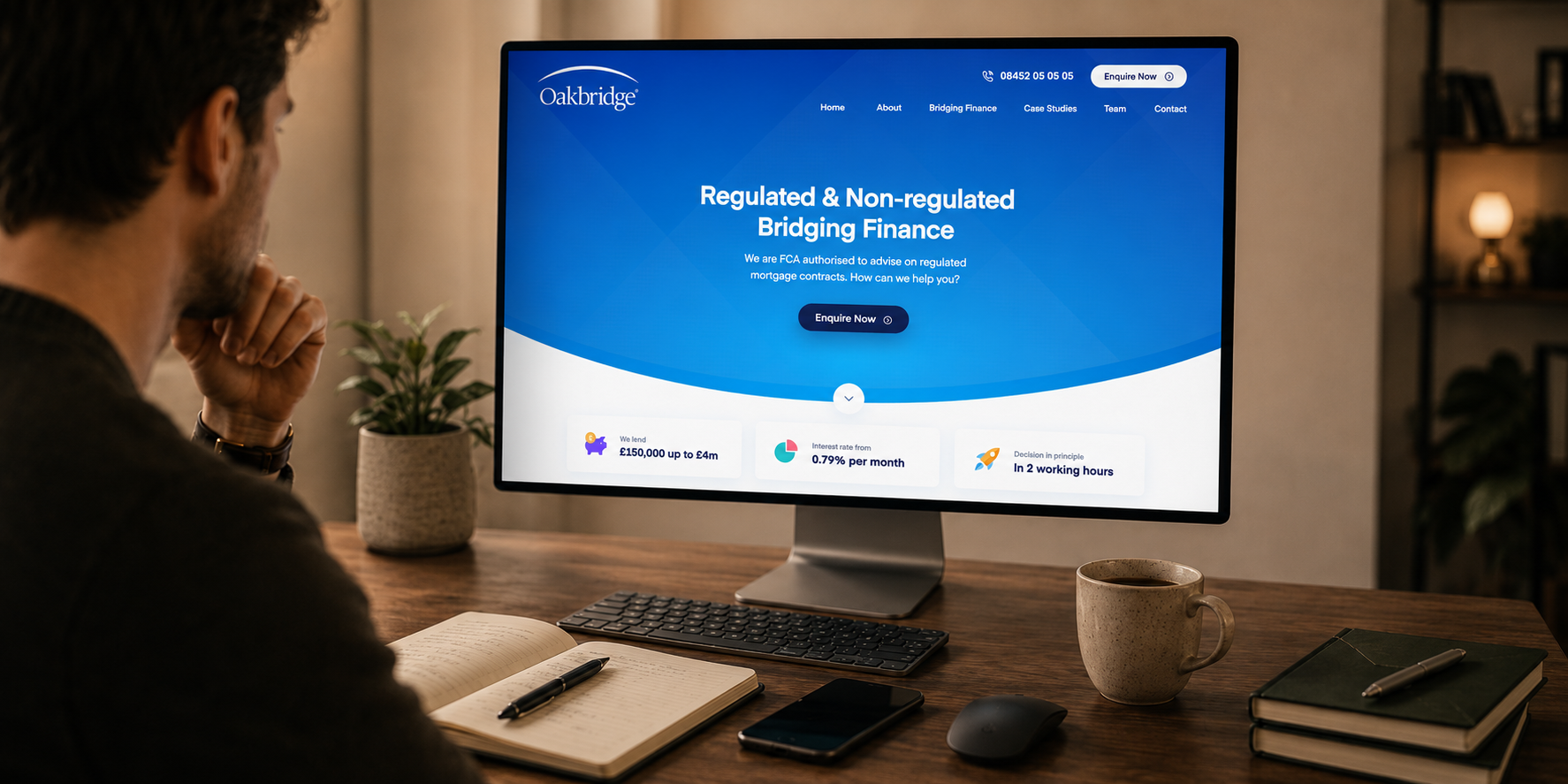
The Oakbridge website shows how a homepage combines clear positioning, trust signals and an enquiry route.
Financial Website Design Essentials
Make Positioning Clear above the Fold
The top of your homepage should immediately explain what you do, who you do it for and what the visitor should do next. Finance audiences will not hang around while they try to decode your offer.
This is not the place for abstract brand statements or internal jargon, even if that language sounds impressive inside your business. The visitor needs to understand the offer quickly and feel confident enough to keep reading.
What to include
- A headline that states the offer in plain English, ideally tied to an outcome the visitor wants.
- A subheading that clarifies audience, scope and what makes your approach different in a concrete way.
- A primary call to action that matches intent, such as book a call, start an application or request a quote.
- A secondary call to action for cautious visitors, such as see fees, learn how it works or view case studies.
- A trust strip near the hero, such as regulatory status, review score, client types or media mentions.
Mini example: a simple finance homepage hero
- Headline: Financial planning for busy professionals who want clarity and control.
- Subheading: Straightforward advice, transparent fees and a plan you can stick to.
- Primary CTA: Book a free introductory call
- Secondary CTA: See fees and what’s included
- Trust strip: FCA regulated – 4.8★ reviews – Trusted by 100+ clients
A simple test you can run is this: if you remove your logo and brand colours, could someone still tell what you do from your hero section in five seconds?
Build Navigation around Financial Intent
Finance visitors rarely browse casually. They usually arrive with a specific question, concern or comparison in mind, and they expect the website to help them move quickly towards the right information.
That means your navigation should mirror the way prospects think, not the way your business is structured internally. Services, fees, proof, resources and contact details should be easy to reach without forcing users through vague labels or overloaded dropdowns.
Quick checks
- Products and services are organised around client needs, not internal categories or job titles.
- Fees or pricing information is easy to find, because hiding it can damage trust.
- The about page builds confidence with real people, credentials, story, values and company information.
- Insights or resources are clearly categorised if content is part of your acquisition strategy.
- Contact details are clear, with more than a form-only dead end where possible.
If you have a lot of content, a site search feature can reduce drop-offs. This is useful when users are looking for a policy, fee, document, eligibility detail or support route and do not want to click through several pages.
Create Calm Visual Credibility
Finance design should feel precise and calm. The visual experience has to reassure users that the business is organised and credible before they read every detail.
This does not mean the website has to look bland or corporate. It means typography, spacing, colour, imagery, forms and interactive elements should feel controlled and consistent, especially around fees, calculators, applications, client portals and any point where personal information is requested.
Must-haves
- Consistent spacing and typography across templates, so nothing feels improvised.
- Comfortable reading sizes with strong contrast, because pale grey text looks weak and is harder to read.
- Buttons and links that are obvious and consistent, with clear hover and focus states.
- Design patterns that feel familiar, especially for forms, comparison tables and step-by-step sections.
- Microcopy that sounds mature and clear, avoiding hype, pressure and over-promising.
Trust & Credibility Essentials for Financial Websites
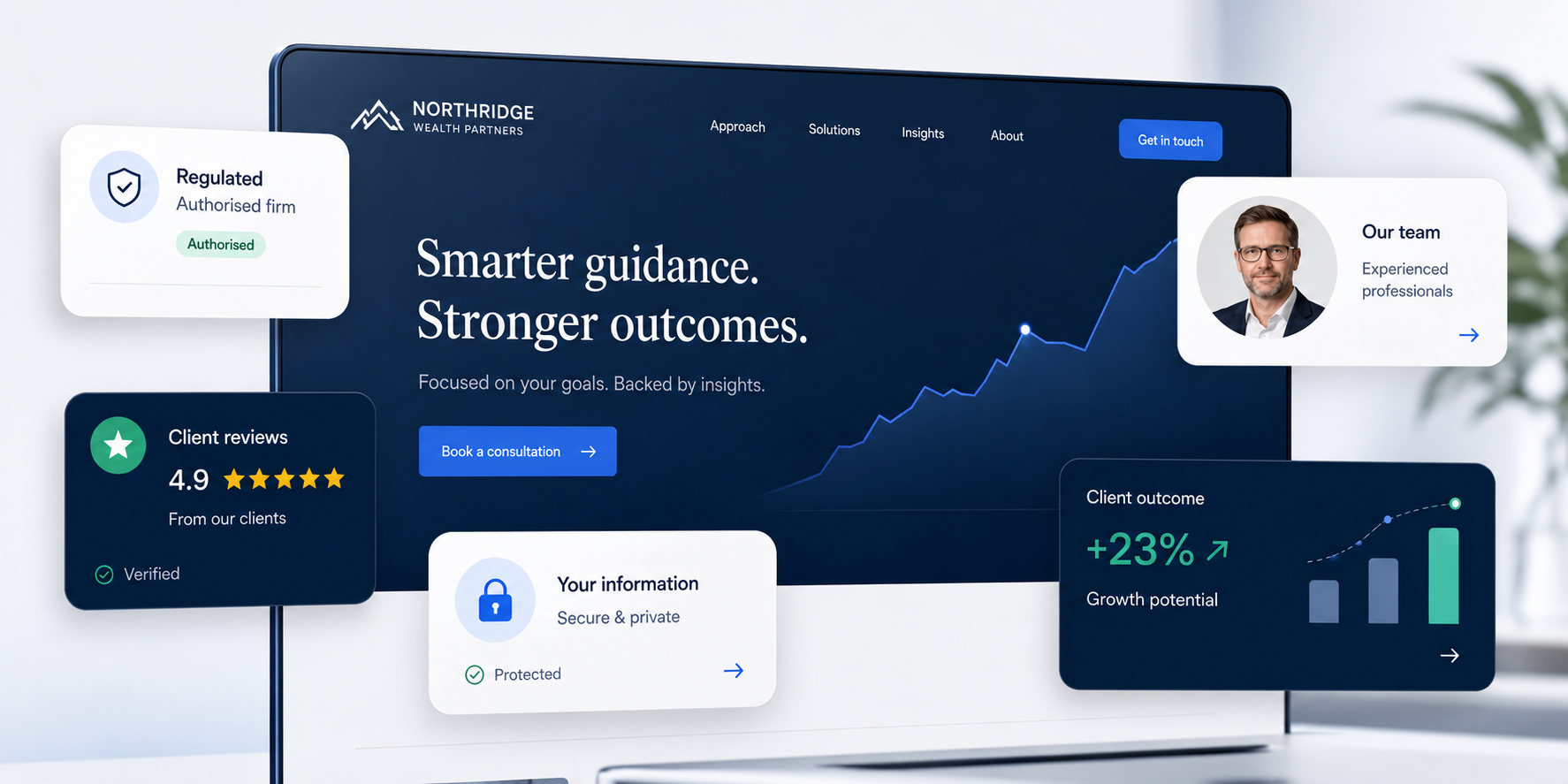
Strong trust signals reassure finance visitors before they share details, book a call or compare providers.
Show Regulated Status & Disclosures Properly
Where regulation applies, visitors expect to see the relevant details clearly. It is one of the quickest ways they decide whether your business looks legitimate.
Even where some information is technically optional, presenting key company and regulatory details confidently can reduce hesitation. This is particularly important for cautious audiences who are used to checking these things before they make contact.
Essential checks
- Regulatory details are included where required and written in a way a normal person can understand.
- Company registration number and registered address are easy to find in the footer.
- Risk warnings appear on relevant pages, especially for investments, trading, crypto, pensions or lending.
- Important warnings are placed near decision points, not hidden away from the action area.
- Audience restrictions are clear where relevant, including location, eligibility or investor type.
UK compliance note:
For UK financial services, website content and claims should be fair, clear and not misleading. Your site should help visitors understand fees, risks and what the service involves before they take action.
This does not mean your website needs to read like a legal document. It does mean you should avoid vague superlatives, buried disclaimers, unclear fee language and claims that a compliance reviewer would challenge.
This article is a website design and content checklist, not legal or regulatory advice. Finance firms should involve the right internal or external compliance people before publishing regulated financial promotions, risk warnings or product claims.
Reflect Consumer Duty in the User Journey
Consumer Duty has made clarity and customer understanding even more important for UK financial services websites. Your website should not only explain what you offer; it should help the right people understand whether the service is suitable for them.
That has practical design implications. Pages should be structured so users can understand the offer, compare routes, spot risks, find support and make informed decisions without being pushed into action too early.
Useful checks
- Key information is easy to find before the user submits a form or books a call.
- Fees, risks, eligibility and exclusions are written in plain English.
- Vulnerable users are not disadvantaged by small text, poor contrast, confusing forms or hidden support routes.
- Confirmation pages and emails explain what happens next, when to expect a response and how to get help.
- Important product or service information is not buried in PDFs when it should be part of the page journey.
Use Social Proof that Feels Believable in Finance
Finance testimonials often fail because they are too generic. “Great service” might be nice, but it does not help someone decide who to trust with a mortgage, pension, investment, loan or business finance decision.
The proof that works best in finance is specific, grounded and framed around the experience. It should help the reader understand what changed, what felt easier or why the client felt reassured.
Best-practice checks
- Testimonials reference outcomes, experience, clarity and reassurance without breaching confidentiality.
- Case studies include numbers where possible, even if you need to use ranges or directional improvements.
- Third-party reviews and ratings are displayed in a lightweight way that does not slow the site.
- Media mentions are verifiable, because fake credibility signals damage trust quickly.
- Proof appears near key CTAs, not only on a separate testimonials page.
Make Team Credibility Easy to Assess
For advisers, wealth managers, mortgage brokers and accountants, the people behind the service often matter as much as the service itself.
A strong team presence builds confidence because prospects want to know who they will speak to, what that person does and whether they are qualified to handle complex decisions.
What to include
- Real photos where possible, because stock imagery can make firms feel generic and interchangeable.
- Roles, qualifications and registrations presented clearly, without making users hunt for them.
- Bios written in plain English that explain how each person helps and who they typically work with.
- A direct way to book or contact a specific person where that suits the service model.
UX & Content Essentials for Finance Websites
Explain Products & Services in Plain English
In finance, confusion stops people from converting, because they will not “work it out later” when the stakes feel high. Your content should guide people from basic understanding to confident action.
The best service pages make complex ideas feel manageable. They explain what the service is, who it is for, what happens next, what it may cost and what the visitor should consider before taking action.
Core checks
- Each service page starts with a simple “what it is” explanation.
- “Who it’s for” and “who it’s not for” sections help users self-qualify.
- The process is explained step by step, without hiding behind buzzwords.
- Fees are explained clearly, with worked examples where possible.
- Risks are explained clearly, without fearmongering or burying important details.
- Next steps match user readiness, so cautious visitors can learn while motivated visitors can act.
Mini example: a simple “How it works” section
- You book a short introductory call so we can understand your goals and current situation.
- We review your information and recommend the most suitable route, with clear fees and timelines.
- You receive a written plan or next-step proposal, then we implement it with ongoing support if needed.
Be Transparent about Fees
These tools should be useful rather than gimmicks. The strongest examples support decision-making, improve lead quality and create natural SEO opportunities when they are built on dedicated, well-structured pages.
On Fintap, the financing calculator earned its place because it answered a question buyers were already asking before they would commit. That is the test we apply to any finance tool: if it does not help someone make a decision, it is usually slowing the page down. Most of the calculators we are asked to add would do more good as a clear table or a short explainer.
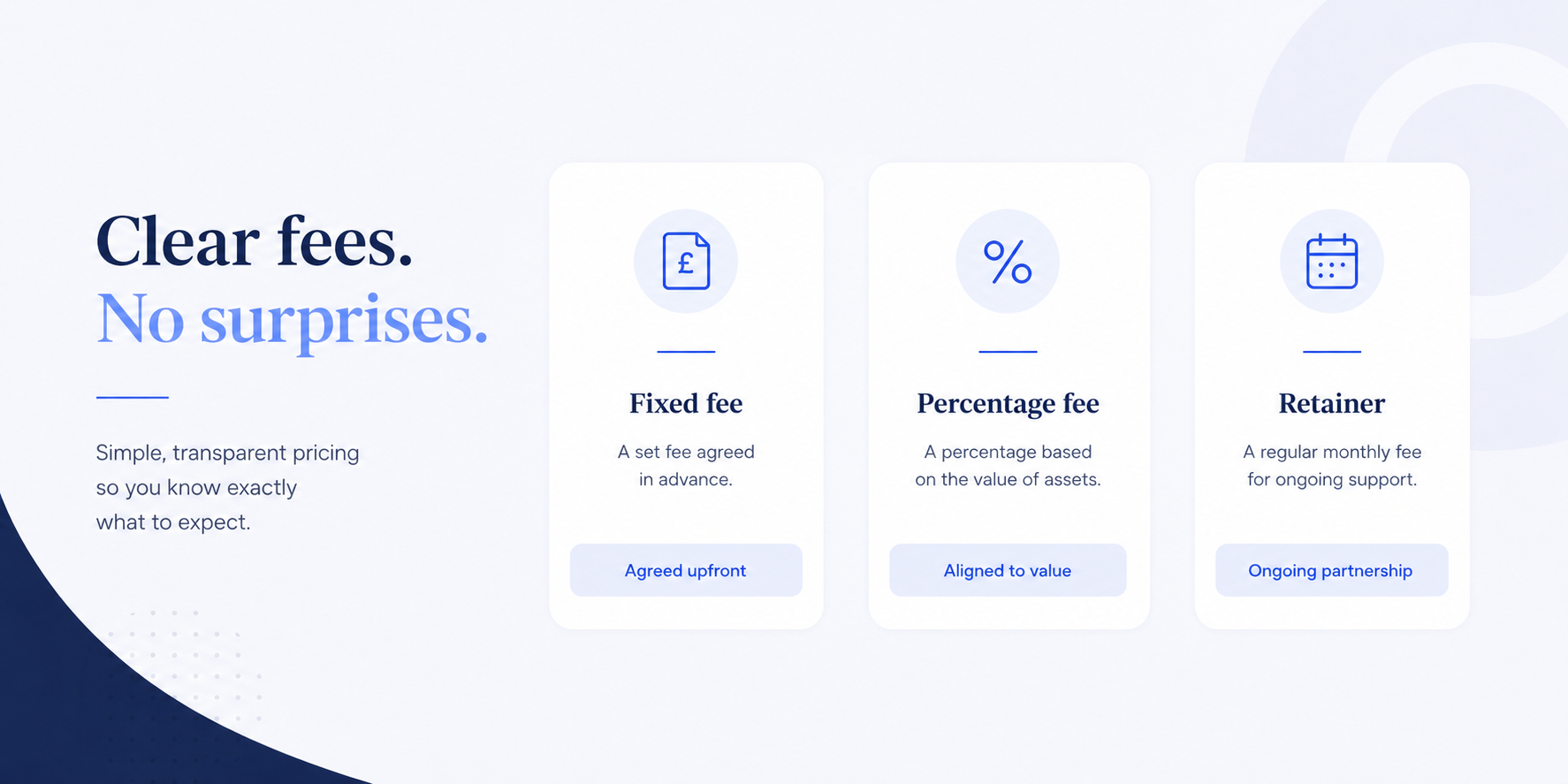
Clear fee structures help financial services websites build trust before users make an enquiry.
Even if your fees vary, the website should still explain how pricing works, what affects the final cost and what someone is likely to receive for the money. That level of clarity helps users self-qualify and makes the first enquiry feel less awkward.
Fee transparency essentials
- A dedicated fees page that is easy to find from navigation and service pages.
- A clear explanation of pricing structure, such as fixed, percentage, tiered or retainer.
- Worked examples that show what someone might pay in a realistic scenario.
- Clear disclaimers for variable pricing, including what affects the final cost.
- Plain-English wording that avoids making users feel embarrassed about asking cost questions.
Use FAQs to Reduce Anxiety, Not Fill Space
In finance, FAQs should not be treated as a spare content block at the bottom of the page. They are an opportunity to answer the questions that make cautious users pause before enquiring.
The most useful FAQs deal with practical concerns: eligibility, timelines, documents, fees, risk, cancellation, support and what happens after someone submits a form. Done well, they reduce uncertainty and improve lead quality because users arrive better informed.
FAQ essentials
- Eligibility questions, so users can self-qualify and you reduce poor-fit enquiries.
- Timelines and what happens next, so people are not left guessing.
- Documents required, so prospects feel prepared and the process feels professional.
- How data is stored and used, particularly around forms and portals.
- Cancellation and exit options, because fear of being stuck is real in finance.
- Support availability and response times, which are often deciding factors.
Prioritise Accessibility & Readability
Finance websites often serve broad demographics. Accessibility improvements usually help everyone because they reduce friction, increase comprehension and make forms easier to complete.
Accessibility also signals professionalism. In finance, users often judge competence through small details, and a difficult-to-use website can weaken confidence before the first conversation.
Accessibility essentials
- Comfortable font sizes and spacing, especially on mobile.
- Strong contrast and visible focus states for keyboard users.
- Keyboard navigability across navigation, forms and interactive elements.
- Proper headings and page structure so content is easy to scan.
- Forms with clear labels and helpful error states that explain how to fix issues.
For accessibility guidance, see the W3C WCAG 2.2 standard, which is the official reference for accessibility requirements and includes a clear overview of what WCAG 2.2 covers.
Conversion Essentials for Financial Services Websites
Use Calls to Action that Match the Service
Most finance services do not convert with “Buy now”. Prospects usually need control, clarity and a low-risk next step before they feel ready to speak to someone or share personal details.
The best CTAs match the decision stage. A motivated user may be ready to book a consultation or start an application, while a cautious user may want to see fees, understand the process or download a guide first.
Common finance CTAs
- Book a consultation
- Request a proposal
- Start an application
- Get a mortgage quote
- Check eligibility
- Download a brochure
- Speak to an adviser
Key checks
- Each page has one primary CTA aligned to the main page intent.
- Secondary CTAs support cautious visitors who need more confidence first.
- CTAs are repeated after key sections, so users do not need to scroll back up.
- Confirmation pages set expectations clearly, including next steps and timelines.
Reduce Friction in Lead Capture
Finance visitors are particularly sensitive to aggressive lead capture because they associate it with hard sales or pressure. If a form asks for too much too soon, it can weaken trust even when the page is strong.
The first step should feel safe and proportionate. Ask for enough information to respond properly, explain why sensitive details are needed, and make the confirmation message clear so users know exactly what happens next.
Practical checks
- Short forms for first contact, focusing only on what you need to respond.
- Multi-step forms for longer applications, because they feel easier to complete.
- Appointment booking integration for people who want to move quickly.
- Clear consent language and preference handling, especially if marketing follow-up is involved.
- Reassurance copy near sensitive fields explaining why the information is needed.
Add Tools that Convert in Finance
Interactive tools work well in finance because they turn abstract decisions into something more tangible. A calculator or eligibility check can help users understand their situation before they are ready to speak to someone.
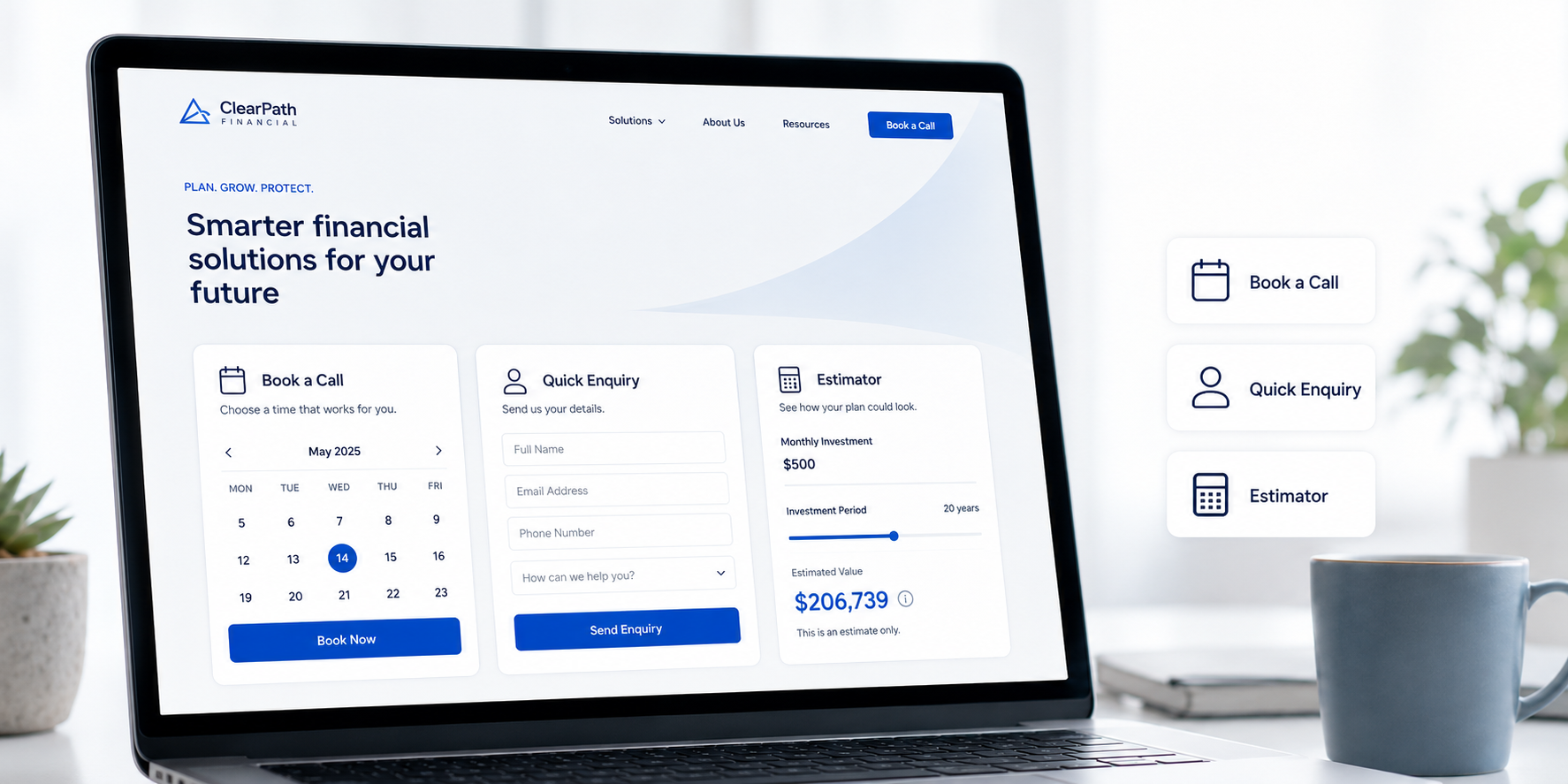
Booking tools, short forms and estimators can help turn cautious finance visitors into better-qualified enquiries.
These tools should be useful rather than gimmicks. The strongest examples support decision-making, improve lead quality and create natural SEO opportunities when they are built on dedicated, well-structured pages.
High-impact features
- Mortgage calculators
- Loan repayment calculators
- Savings projections
- Pension contribution estimators
- Fee calculators
- Eligibility checks
- Risk profiling questionnaires with appropriate disclaimers
Planning a Financial Website Redesign?
If your current website is unclear, difficult to update, slow, hard to trust or failing to turn traffic into enquiries, Webpop Design can help you review what is holding it back. We design bespoke financial websites around clearer service journeys, stronger trust signals, well-structured content and practical conversion paths.
Tell us about your finance website project and we will come back with clear, practical recommendations.
Security Essentials for Websites in the Finance Niche
Security is partly technical and partly about how your website communicates safety. This becomes especially important when someone is about to submit personal details, upload documents, use a portal or start an application.
Even small issues such as browser warnings, broken pages, unclear forms or messy consent language can damage trust quickly in financial services. Users may not understand every technical detail, but they will notice when a website feels neglected or unsafe.
Technical Security Essentials
Security checks
- SSL everywhere, with no mixed content warnings.
- Strong security configuration and monitoring, with an update process you follow in practice.
- Limited admin access and enforced MFA, especially for accounts with publishing permissions.
- Backups with restore testing, because untested backups create false confidence.
- WAF and DDoS protection for higher-risk sites or businesses running paid media campaigns.
- A disciplined plugin stack if the site is built on WordPress, avoiding unnecessary bloat and risk.
Security Trust Signals People Recognise
Most visitors will not read your full privacy policy before they make a decision, but they will look for signs that your business handles data responsibly.
The goal is to reassure users without overwhelming them. Short, plain-English reassurance near forms, uploads and portals often works better than long legal copy placed away from the point of action.
Trust signals to include
- Reassurance copy near forms explaining what happens to the user’s data.
- Privacy and security pages written in plain English, with clear contact routes for questions.
- Secure handling for documents and sensitive details, ideally through a portal or secure upload.
- A high-level explanation of portal security, such as authentication, encryption and access control.
Performance & Technical SEO Essentials for Finance Websites
Fast sites feel more trustworthy, because that speed signals a site that is well maintained. That matters in finance, where users are already looking for signs that a business is diligent and reliable.
Performance also affects acquisition. A slow, bloated or technically messy website can weaken organic visibility, increase paid media waste and reduce the number of visitors who complete forms or booking journeys.
Core Performance Checks
Performance essentials
- Strong mobile performance, because most traffic is mobile even in serious industries.
- Images properly sized and compressed, especially for hero banners and team photos.
- Lazy loading used sensibly, so key content still loads immediately.
- Minimal script bloat, avoiding plugin stacks that add multiple tracking and UI libraries.
- Caching and CDN configured properly, especially for national or international traffic.
- Core Web Vitals monitored over time, not just tested once at launch.
Technical SEO Essentials
SEO essentials
- Clean URL structure that matches service intent, rather than random internal names.
- Proper meta titles and descriptions per page, written for humans first.
- Schema markup where relevant, such as Organisation, FAQ, Article and Review.
- XML sitemap and robots.txt configured properly.
- Canonicals handled correctly, especially with similar pages for locations or product variants.
- A redirect plan for redesigns, so you protect existing rankings and avoid avoidable traffic drops.
If you are redesigning an existing finance website, do not treat SEO as a launch-week task. Map the pages that already rank, protect important URLs, review internal links and plan redirects before development begins.
We have seen finance sites lose months of rankings after a redesign that looked strong in every other respect, simply because redirects were treated as an afterthought. On the redesigns we run, mapping and protecting the URLs that already rank is part of the brief before any design work starts.
Finance-Specific Layouts Visitors Expect
Homepage Layout Expectations
A high-performing finance homepage reduces cognitive load. Users should be able to understand the offer, judge credibility and choose a next step without piecing the story together themselves.

A finance homepage should make the offer, trust signals and next step clear from the top of the page.
You can still be creative with visual design, but the journey should feel predictable. The homepage needs to answer the big questions quickly: what you do, who you help and why you can be trusted.
- Hero section with clear positioning, CTAs and a trust strip
- How-it-works section written in clear steps
- Services overview with clear pathways
- Proof section with reviews, logos, case studies or client types
- About section that builds credibility
- Tools, resources or insights section
- Final CTA with reassurance and next-step clarity
Service & Product Page Layout Expectations
Service pages should guide people from understanding to confidence, then action. In finance, that usually means explaining the offer clearly before asking the user to enquire.
The structure below works because it mirrors how people compare providers. They want to understand suitability, benefits, process, fees, risks, proof and next steps before they feel ready to speak to someone.
Page structure essentials
- Outcome-led intro that explains the value in real terms.
- Who it is for and who it is not for, to set expectations and improve lead quality.
- Benefits supported by proof, not just claims.
- Step-by-step process showing what happens next.
- Fees and inclusions written clearly.
- Risks and disclaimers where relevant, placed near decision points.
- FAQs that remove common objections.
- Clear CTA with low-friction options.
Case Study Layout Expectations
Finance case studies work best when they are structured, specific and credible. Prospects want evidence that the business understands real constraints, rather than confident claims about great results.
The strongest case studies explain the client context, the problem, the approach and what changed. Where numbers cannot be shared, directional improvements, process details and practical outcomes can still build trust.
What to include
- Client type and context
- Problem and constraints
- Approach
- Outcomes and metrics where possible
- Timeline
- What changed for the client
- Compliance-friendly wording
For example, our Fintap website project needed clear product explanation, conversion-focused design and supporting functionality including a financing calculator. Our Oakbridge redesign focused on clearer positioning, credibility and a more modern presentation of their lending offer.
Features & Integrations to Prioritise
This is where many finance websites win or lose. The right integrations reduce friction, improve lead quality and make follow-up more reliable, while the wrong ones slow the site down or create fragmented user journeys.
Start with the features that support real user behaviour. Booking, CRM integration, secure uploads, consent management and client portals are only valuable when they make the journey clearer, safer or easier to manage.
Booking & Lead Handling
- Appointment booking integration, so visitors can move forward without waiting for emails.
- CRM integration for consistent follow-up and better tracking of lead sources.
- Automated lead routing and notifications, so enquiries do not get missed.
- Qualification forms that score leads, improving close rates and reducing admin time.
Client Portals & Document Handling
- Secure client portal login for ongoing clients or application-based services.
- Document upload with access controls, rather than asking users to email sensitive documents.
- eSignature integration for onboarding and agreements.
- Secure messaging where appropriate, especially for advisory services.
Compliance & Consent Management
- Cookie consent that blocks scripts until consent is given, not just a banner that looks compliant.
- Consent logging for forms, including marketing preferences where relevant.
- Marketing preference management so users can control what they receive.
- Clear data handling and retention messaging, written plainly.
How to Score your Financial Website Audit
Once you have worked through the checklist, group the issues by commercial impact rather than fixing everything in page order. The best first fixes are usually the ones that improve trust, clarity and lead quality.
Simple scoring method
- Red: Issues that damage trust, block enquiries, create compliance risk or stop users completing key actions.
- Amber: Issues that weaken confidence, slow the journey or make the website harder to understand.
- Green: Areas that are working well and only need routine monitoring or small improvements.
Prioritise red items first, especially unclear positioning, missing fee information, weak trust signals, broken forms, poor mobile performance, missing redirects or security warnings. These are the issues most likely to affect enquiries and confidence.
Copy/Paste Financial Website Audit List
If you want an audit you can run in 15–30 minutes, copy this into a document and tick it off against your current site:
- Homepage hero clearly explains what we do, who it is for and what to do next.
- Fees are easy to find, and the fee model is explained plainly.
- Regulatory, company and disclosure information is visible in the footer and relevant pages.
- We have credible proof, such as reviews, case studies or testimonials, displayed near key CTAs.
- Service pages explain the process step by step, including timelines and what happens next.
- Forms are short, clear and tested, with helpful error messages and consent handling.
- Security reassurance is present near forms and portals, and we avoid sensitive data via email.
- Mobile speed is strong, with no obvious bloat or slow-loading assets.
- Core technical SEO is correct, including titles, schema basics, sitemap, canonicals and redirects.
- CTAs are consistent and match the stage of intent, with a clear confirmation page after enquiry.
Summary
Financial website design earns enquiries by building trust quickly, making complex services easy to understand and keeping the next step free of unnecessary friction.
Use the audit points above to review your current site, then prioritise the changes that improve clarity and trust first. Those are usually the levers that most reliably increase enquiries in finance.
If you are planning a new finance website, or you are not sure why your current one is not converting, our Project Planner is the quickest way to get clear, practical direction. Share a few details about your business, audience and goals, and we will come back with a straightforward recommendation on what to improve, what to prioritise first and what a sensible next step looks like.
Frequently asked questions
What should a financial website include?
A strong financial website should include clear positioning, service pages, fee information, regulatory details, team credibility, reviews or case studies, security reassurance, accessible forms and clear calls to action. The goal is to help visitors understand what you offer, whether it is right for them and what they should do next.
What makes finance web design different from regular web design?
Finance websites have to build trust faster because users are often making cautious, high-stakes decisions. The design needs to explain complex services clearly, show proof, set out risk and fee information plainly, and make enquiries feel safe rather than pressured.
Should a finance website show fees?
Yes, wherever possible. Even if exact pricing depends on the client, the website should explain the fee model, typical ranges, what affects the final cost and what is included. Hidden fees often reduce trust because prospects assume the worst or delay making contact.
How can a finance website build more trust?
Trust comes from clear language, visible regulatory details, real team information, transparent fees, relevant case studies, third-party reviews, secure forms, strong accessibility and a professional user experience. The website should reassure visitors at each decision point, not only on the about page.
What features help financial websites convert better?
Useful conversion features include booking integrations, short enquiry forms, eligibility checks, calculators, fee estimators, secure document uploads, client portals, clear confirmation messages and well-placed CTAs. The best features reduce uncertainty and make the next step feel low-risk.
Is WordPress suitable for financial services websites?
Yes, WordPress can work very well for financial services websites when it is built properly. The key is to use strong hosting, a disciplined plugin stack, robust security, accessible templates, well-structured content and safe handling of forms or sensitive data.
How often should a finance website be audited?
A finance website should be reviewed at least once or twice a year, and always before a major redesign, campaign or compliance update. High-impact areas such as forms, speed, security, CTAs, tracking, fees and regulated content should be checked more often.